








Supplier evaluation checklist
How to Choose a Smart Locker System
Fifteen questions that reveal whether a supplier can support your workflow, users, integrations, security requirements and long-term operating model.

The selection principle
Choose the system that proves it can run your workflow
A long feature list does not establish operational fit. Give shortlisted suppliers the same users, transaction, exception and integration assumptions, then ask each supplier to demonstrate how the proposed system would work.
They distinguish standard capability from configuration, integration and custom development—and explain who owns every dependency.
If you are still deciding whether connected storage is the right category, first review Vpod smart lockers and the smart versus traditional locker comparison.
Before contacting suppliers
Prepare five facts so every answer is comparable
Outcome
What must improve and how will success be measured?
Users
Who stores, deposits, collects, returns and administers?
Demand
Users, transactions, peaks, item sizes and expected growth.
Sites
Locations, environment, available space, power and connectivity.
Systems
Identity, access, workplace, ITSM, parcel or payment platforms.
Supplier interview
15 questions to ask a smart locker supplier
Workflow and operational fit
Can you demonstrate our complete user journey?
Ask the supplier to configure a representative request, allocation, access, collection or return and release—not a generic product tour.
Evidence: A live end-to-end demonstration using agreed users, roles and rules.How does the system handle exceptions?
Cover forgotten credentials, occupied compartments, doors left open, failed collections, late returns, outages and emergency access.
Evidence: Documented recovery paths, administrator actions and user communications.Which workflows are standard, configurable or custom?
Separate proven product capability from project configuration and new development that introduces time, cost or delivery risk.
Evidence: Clear scope classification plus assumptions, dependencies and change control.Users, access and accessibility
Which access methods suit each user group?
Employees, visitors, couriers and customers may need different credentials such as RFID, QR, PIN, mobile or digital identity.
Evidence: Supported-device list and a demonstration of issuing, using, expiring and revoking access.How are permissions and assignments controlled?
Clarify fixed, flexible, temporary, team, asset-led and reservation-based allocation, including time limits and release rules.
Evidence: Role and permission matrix with configured examples.How will the design support accessibility?
Consider reach ranges, door positions, interface design, instructions, languages and alternative access journeys.
Evidence: Dimensional drawings, interface examples and the proposed accessibility review process.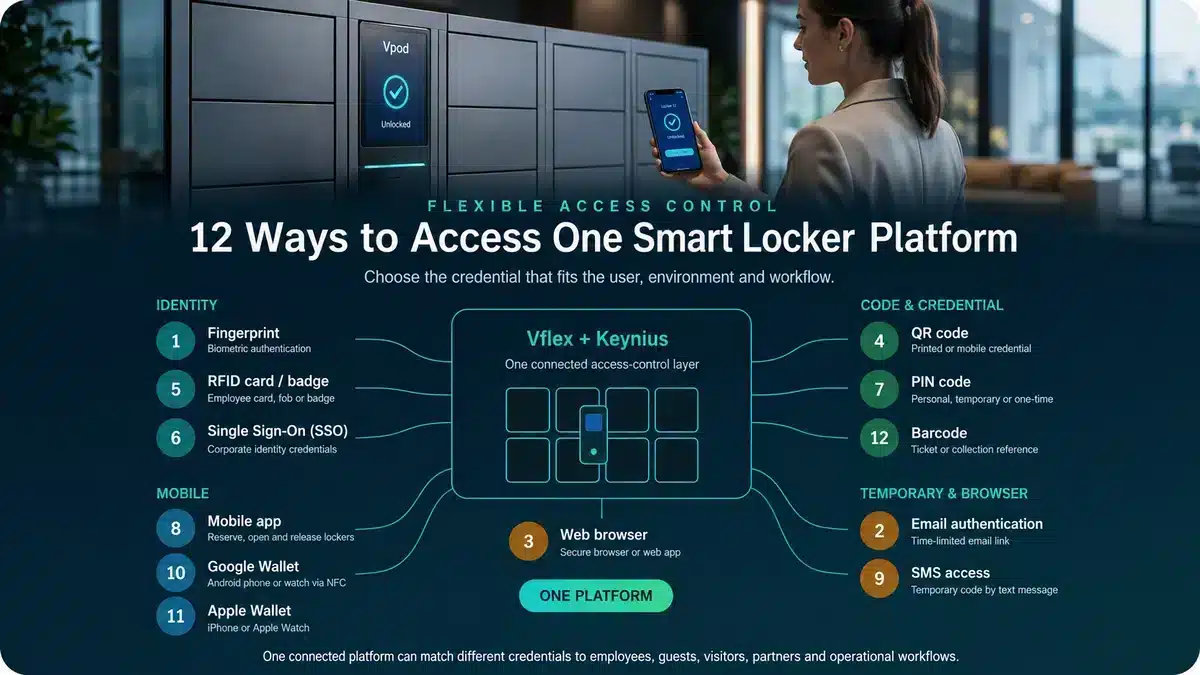
Software, reporting and integrations
What can administrators manage across sites?
Ask about roles, permissions, assignments, remote actions, configuration, live status, alerts and multi-site control.
Evidence: Administrator-interface demonstration using representative tasks.Which reports and audit records are available?
Define the required events, utilisation measures, filters, exports, retention periods and access controls.
Evidence: Sample reports, field definitions and data-retention statement.How will the required integrations work?
Identify the initiating system, data exchanged, interfaces, error handling, testing and operational support boundary.
Evidence: Architecture, connector documentation, test plan and responsibility matrix.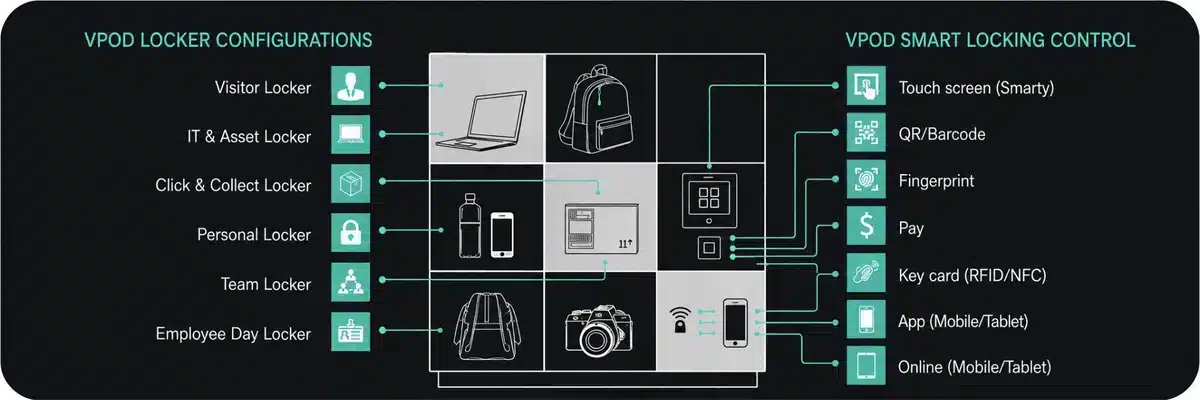
Security, data and continuity
How are physical and digital access secured?
Cover cabinet construction, electronic locks, credentials, administrator roles, logging, remote actions and override procedures.
Evidence: Security architecture, controls and relevant assurance documentation.Where is data held and how is it governed?
Ask about hosting, encryption, privacy, retention, sub-processors, deletion, export and contract exit.
Evidence: Data flow, privacy responses and contractual responsibilities.What happens when power, connectivity or a connected system fails?
Define monitoring, local behaviour, backup, recovery, user communication, emergency access and reconciliation.
Evidence: Demonstrated fallback behaviour and a documented recovery procedure.Delivery, support and commercial evidence
How will the system be surveyed, installed and accepted?
Confirm dependencies, delivery, positioning, configuration, testing, training, pilot, handover and acceptance criteria.
Evidence: Project plan, responsibility matrix and acceptance schedule.What support covers hardware, software and integrations?
Clarify service hours, channels, response targets, escalation, monitoring, maintenance, updates, parts and exclusions.
Evidence: Service description and contractual service-level schedule.What is the complete lifetime cost—and what proof supports the proposal?
Separate one-off, recurring, optional and third-party costs. Request references for comparable workflows, scale and environments.
Evidence: Whole-life commercial schedule, assumptions and reference deployments.Shortlist demonstration
Give every supplier the same scenario
A controlled demonstration is more revealing than separate product pitches. Ask each supplier to show the normal journey, at least two exceptions and the administrator tasks that follow.
Evaluation scorecard
Score evidence—not confident answers
| Area | Illustrative weight | Strong evidence |
|---|---|---|
| Workflow and functional fit | 20% | Configured demonstration including exceptions |
| User experience and accessibility | 15% | Representative user testing and design evidence |
| Software and integration | 15% | Architecture, live administration and proven connectors |
| Security and continuity | 15% | Documented controls, fallback and recovery |
| Delivery and references | 15% | Plan, acceptance method and comparable deployments |
| Support and service | 10% | Contractual scope, targets and escalation |
| Total cost of ownership | 10% | Complete schedule with assumptions and exclusions |
Weights are illustrative. Agree pass/fail requirements and scoring before supplier responses are reviewed.
Procurement warning signs
Five answers that deserve closer examination
“Yes, we can integrate.”
Without systems, events, ownership, testing and support boundaries, this is not an integration plan.
“The software is intuitive.”
Ask administrators and representative users to complete real tasks.
“Downtime is very unlikely.”
Resilience does not replace documented fallback and recovery procedures.
“That is included.”
Confirm the precise scope, duration, limits and contractual schedule.
“Every customer is different.”
Variation is normal, but comparable reference deployments should still exist.
Supplier evidence
Ask for deployments that resemble your operation
References should match the workflow, user volume, estate complexity and environment—not simply the product name. Vpod’s case-study library includes workplace, asset, hospitality and venue deployments.
Explore smart locker case studies →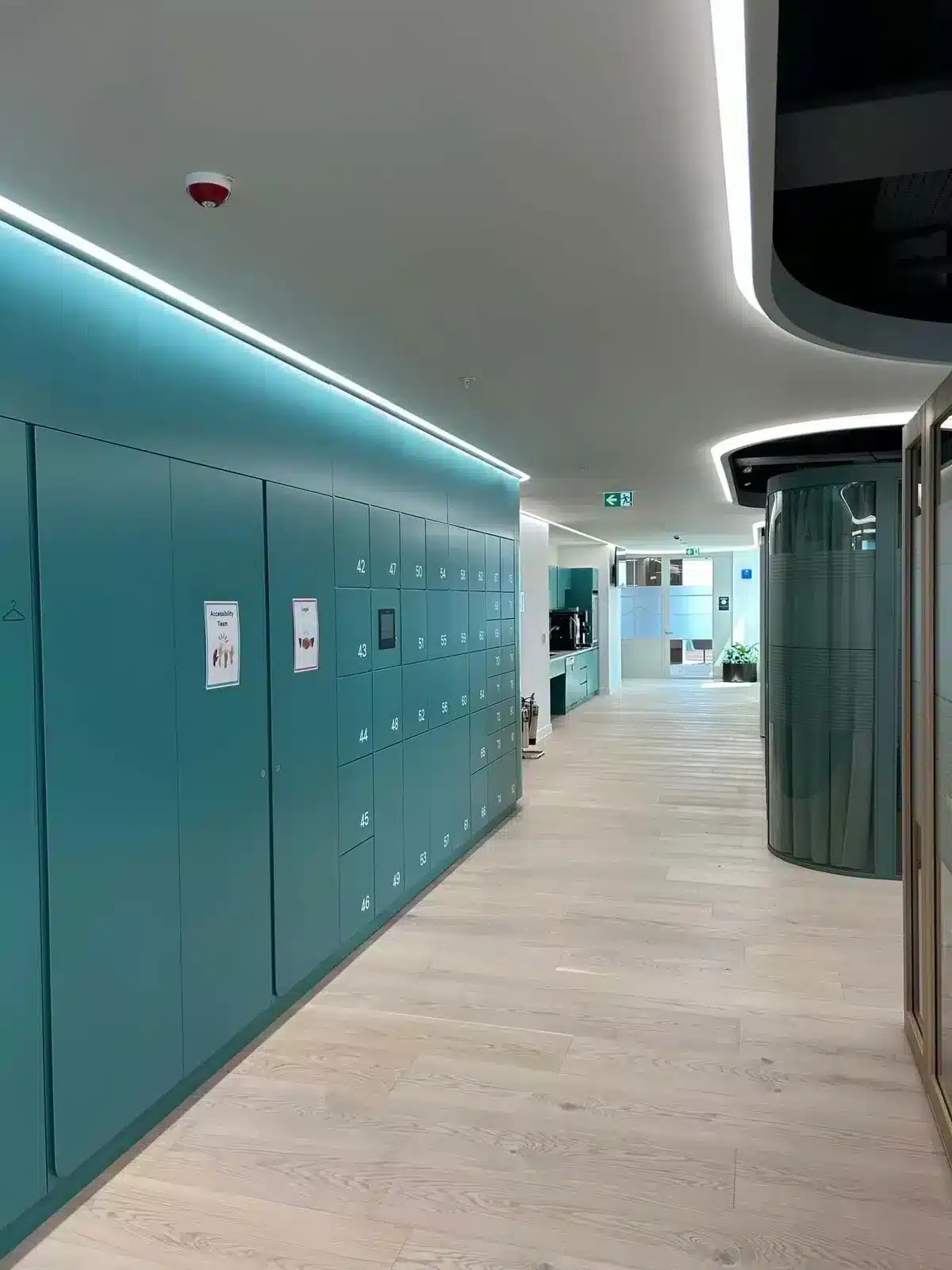
Bring the requirement—not a finished product list
Test your 15 questions with a Vpod specialist.
Share your users, workflow, sites, access methods and connected systems to scope the appropriate locker, software and deployment model.