Missing or late equipment
Link each collection and return to an identified user, making responsibility clear.








We design and deliver integrated systems for streamlined check-ins, secure storage, and enhanced visitor management. Our trusted partner network and focus on sustainability, data security, and customer success drives us to provide the most effective and user-friendly solutions.
We design and deliver integrated systems for streamlined check-ins, secure storage, and enhanced visitor management. Our trusted partner network and focus on sustainability, data security, and customer success drives us to provide the most effective and user-friendly solutions.

We design and deliver integrated systems for streamlined check-ins, secure storage, and enhanced visitor management. Our trusted partner network and focus on sustainability, data security, and customer success drives us to provide the most effective and user-friendly solutions.
Vflex smart asset lockers
Control the issue, return and availability of laptops, tools, radios, scanners and other shared equipment. Vpod combines configurable locker hardware with a cloud-managed smart locker platform, enterprise integrations and multi-site deployment support.
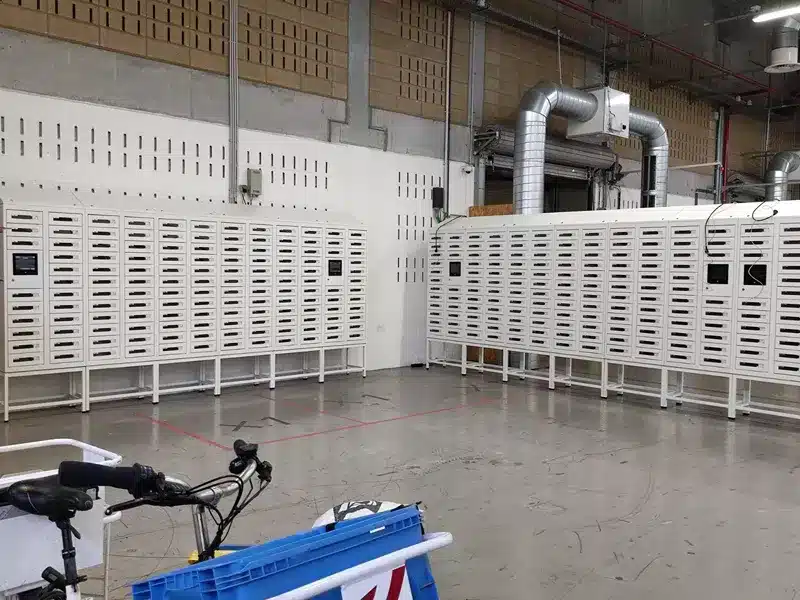
What are asset lockers?
Asset lockers are electronically controlled compartments that automate how equipment is stored, issued and returned. An authorised user identifies themselves, the system opens the correct compartment and the transaction is recorded.
Unlike a key cabinet, spreadsheet or staffed equipment desk, a smart asset locker joins physical security to user permissions and software records. Teams gain a consistent chain of custody without relying on somebody being available to complete the handover.
Explore smart workplace lockers →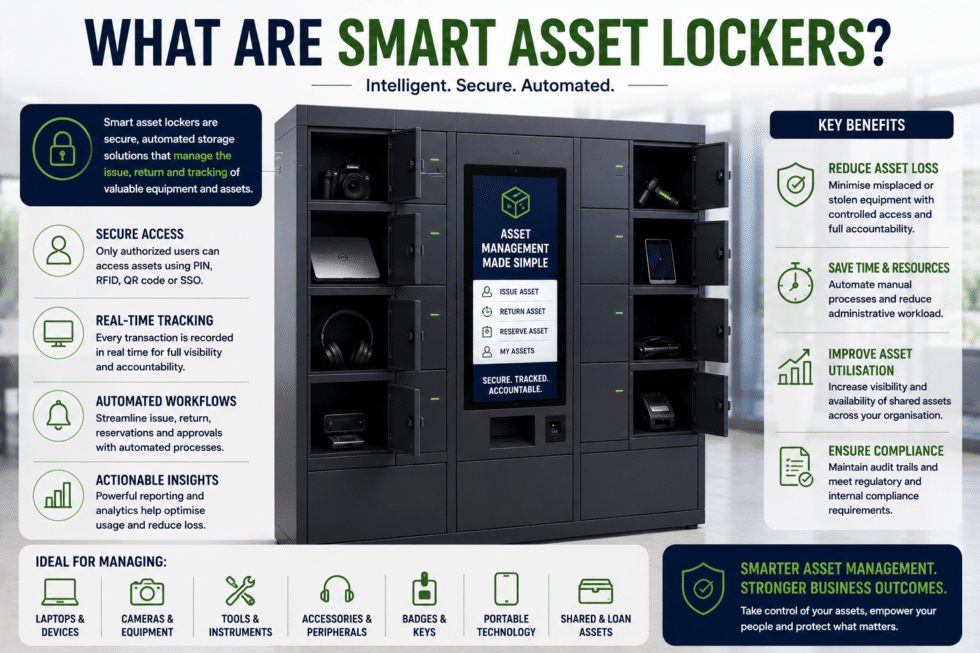
Problems removed
Link each collection and return to an identified user, making responsibility clear.
Replace paper sheets and spreadsheets with time-stamped digital activity.
Give authorised users secure self-service access without waiting for a staffed desk.
See locker activity and availability across connected locations from one environment.
Apply defined issue, return and access rules across departments and locations.
Search transaction histories to support reviews, investigations and internal controls.
How asset lockers work
The workflow can be configured around your assets, users, policies and smart-locker integrations.
The user authenticates by PIN, RFID card, QR code, mobile credential or an agreed integrated method.
The platform checks permissions, role, booking or service request before granting access.
The assigned compartment opens for a secure, self-service equipment handover.
The transaction is time-stamped and available to authorised administrators for reporting.
Equipment and use cases
Laptops, tablets, peripherals, replacement devices and end-of-life returns.
Power tools, calibrated equipment, test devices and maintenance kits.
Radios, scanners, body-worn devices, keys, cameras and shift equipment.
Controlled access to safety equipment, uniforms and role-specific resources.
| Workflow | How the locker supports it | Operational value |
|---|---|---|
| Shared equipment pool | Authorised users collect an available item and return it after use. | Improves access and accountability across teams or shifts. |
| Named device handover | A specific compartment and asset are assigned to a nominated user. | Creates a controlled collection with a recorded handover. |
| Break/fix replacement | IT places a prepared device in a locker and sends secure collection instructions. | Supports out-of-hours service without an on-site technician. |
| Asset recovery | Employees or contractors return equipment into an authorised compartment. | Standardises returns and helps preserve chain of custody. |
Customer evidence
Mars deployed Vflex lockers for employee storage and IT equipment distribution and recovery, creating secure self-service access and a consistent operating model across multiple countries.
Platform capabilities
Vpod brings together hardware, locker management software and deployment services so the physical design and digital workflow work as one system.
Choose from PIN, RFID, QR, mobile and other supported authentication methods, with smart-locker security and data protection considered throughout the workflow.
Configure access by user, team, role, location or workflow, with time-based rules where required.
Record transactions and review authorised activity, locker usage and equipment movements.
Combine different door sizes, finishes and layouts, with power where compatible equipment requires charging.
Manage connected lockers, users and policies centrally across individual sites or international programmes.
Connect agreed identity, access, service and workplace systems to create a joined-up operational workflow.
Planning your deployment
A useful specification starts with the operating process—not the number of locker doors. Use the enterprise smart-locker specification guide to structure the technical and operational requirements.

Plan an asset locker deployment
Bring your asset types, user requirements and current handover process. Vpod will help define the locker configuration, software workflow, integrations and deployment approach.