







What Are Desk Sharing Equipment Bottlenecks?
Desk sharing equipment bottlenecks occur when:
- Employees cannot access the equipment they need
- Equipment availability is inconsistent
- Setup and retrieval processes slow down workflows
This is common in:
- Hybrid workplaces
- Corporate offices
- Co-working environments
- Contact centres
- Technology-enabled workspaces
Why Asset Tracking Problems Break at Scale (And Why Visibility Disappears)
Why Desk Sharing Equipment Bottlenecks Increase at Scale
1. Equipment Is Not Stored Centrally
In many workplaces, equipment is:
- Left on desks
- Stored in drawers
- Kept in IT rooms
- Passed between employees
At scale, this leads to:
- Equipment being hard to find
- Inconsistent storage behaviour
- Time lost searching
If equipment does not have a defined location, access becomes unpredictable.
2. No Visibility of Availability
Most organisations cannot see:
- Which equipment is available
- Who is using it
- Where it is located
Without visibility:
- Employees waste time searching
- IT teams receive constant requests
- Availability becomes unreliable
Why Asset Retrieval Delays Break at Scale
3. Shared Equipment Creates Competition
In desk-sharing environments:
- Multiple employees need the same equipment
- Demand peaks at certain times
This leads to:
- Employees competing for resources
- Delays at the start of the day
- Reduced productivity
Why Asset Tracking Problems Break at Scale (And Why Visibility Disappears)
4. Setup Time Becomes a Daily Bottleneck
Without ready-to-use equipment:
- Employees must gather devices
- Connect peripherals
- Troubleshoot issues
This creates:
- Delays in starting work
- Inconsistent workstation quality
- Frustration across teams
5. Equipment Is Not Returned Properly
Common issues include:
- Devices left on desks
- Equipment taken home
- Items not returned after use
At scale:
- Availability decreases
- Equipment becomes “lost” within the workplace
Self-service equipment lockers
provide a secure, controlled way for employees to collect and return shared devices and equipment.
Why Asset Retrieval Delays Break at Scale
6. Manual Tracking Fails
Tracking equipment through:
- Spreadsheets
- IT logs
- Informal processes
Does not work because:
- Data is not updated in real time
- Users do not comply consistently
- Equipment movement is too frequent
Why Manual Asset Logging Breaks at Scale
7. Peak Demand Exposes Weaknesses
During peak office days:
- More employees are present
- More equipment is needed simultaneously
This results in:
- Immediate shortages
- Longer delays
- Increased pressure on IT teams
Guide: Why Asset Audit Trails Break at Scale and how to fix it

The Hidden Impact of Desk Sharing Equipment Bottlenecks
Lost Productivity
Increased Operational Costs
Poor Employee Experience
Reduced Asset Utilisation
Desk Sharing Equipment Bottlenecks: The Key Issues
The Core Problem: Equipment Availability Depends on Access and Visibility
Desk sharing equipment bottlenecks rarely occur because there is not enough equipment.
They happen when shared devices, poor visibility, and inefficient access processes reduce equipment availability across the workplace.
1. Poor Equipment Storage Creates Desk Sharing Equipment Bottlenecks
Shared equipment is often left on desks, stored in drawers, or moved between employees without tracking.
Impact: Time wasted searching for equipment and delays starting work.
A smart locker platform for workplace assets can help employees securely access shared equipment while reducing delays caused by manual handovers and desk-sharing workflows.
2. Limited Visibility Causes Equipment Availability Issues
Most organisations lack real-time visibility of where equipment is located and whether it is available.
Impact: Unnecessary requests to IT teams and unreliable access to equipment.
Why Device Availability Issues Break at Scale
3. Shared Equipment Demand Creates Workplace Bottlenecks
Multiple employees often need the same monitors, headsets, docking stations, and devices during peak office days.
Impact: Equipment shortages, employee frustration, and reduced productivity.
Why Desk Sharing Equipment Bottlenecks Increase at Scale
Equipment Storage Creates Access Issues
In many workplaces, shared equipment is stored across desks, drawers, storage rooms, or passed between employees. As demand increases, finding available equipment becomes more difficult.
Common issues include:
- Equipment difficult to locate
- Inconsistent storage practices
- Delays accessing devices
- Reduced productivity
Poor Visibility Creates Equipment Bottlenecks
Most organisations lack real-time visibility into equipment location, availability, and usage.
Challenges include:
- Unknown equipment availability
- Missing or misplaced devices
- Inefficient asset management
- Increased IT workload
Compare staff cost vs locker automation ROI
Compare smart lockers vs mobile storage
Hybrid Working Increases Demand Pressure
Hybrid schedules, flexible working, and shared workspaces create changing equipment requirements throughout the week.
This results in:
- Unpredictable equipment demand
- Shortages during peak office days
- Competition for shared devices
- Reduced employee experience
How Smart Asset Lockers Eliminate Equipment Bottlenecks
Smart asset lockers transform equipment access into a structured, automated process that improves availability and accountability.
Benefits Include:
- Real-time equipment visibility
- Secure asset storage
- Automated tracking and audit trails
- Faster equipment retrieval
- Improved asset utilisation
- Reduced IT workload
By replacing manual equipment management with intelligent locker systems, organisations can improve access, reduce delays, and support hybrid workplaces without purchasing additional equipment.
Automate asset handling with lockers
How Smart Asset Lockers Eliminate Equipment Bottlenecks
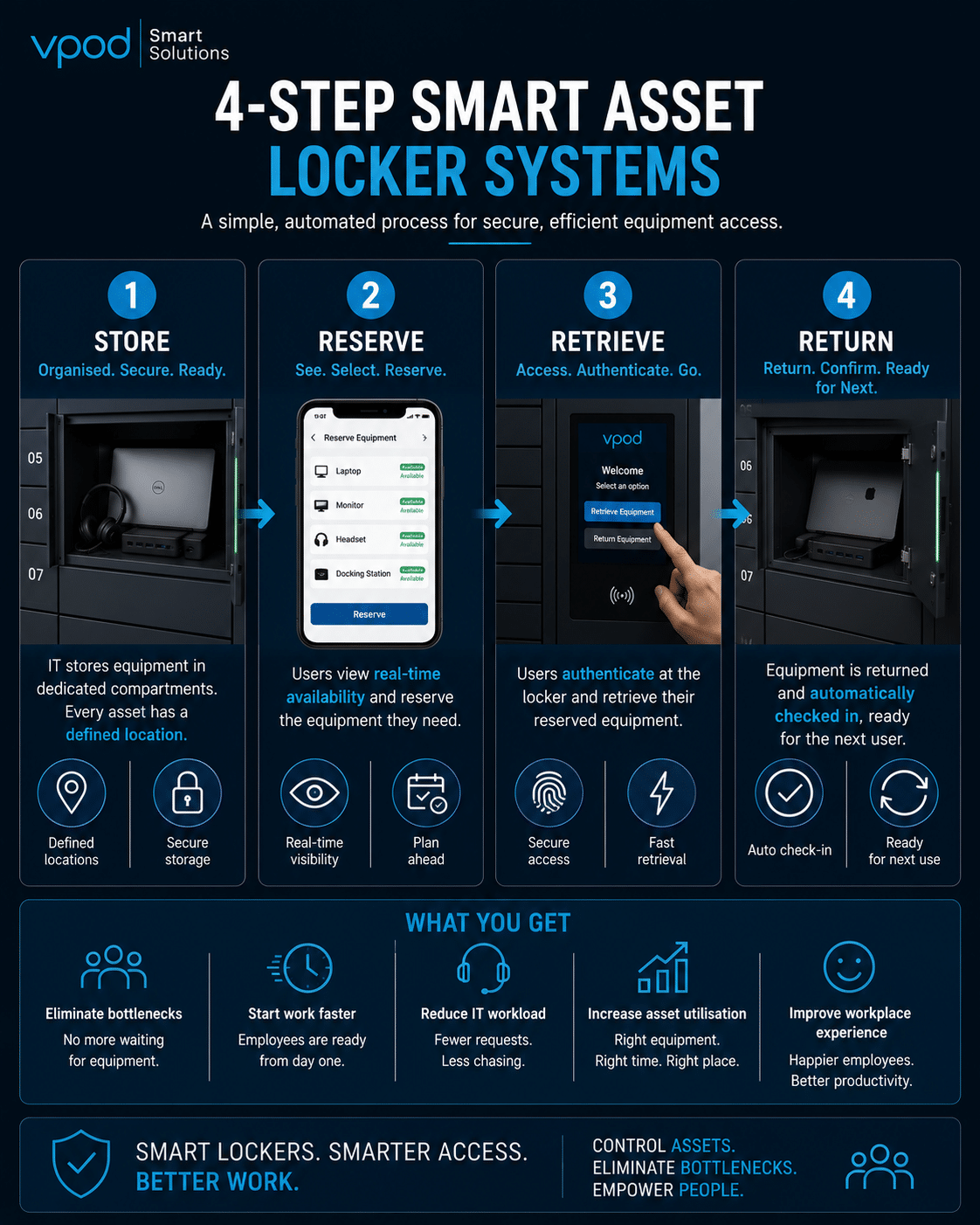
Traditional Equipment Management vs Smart Asset Lockers




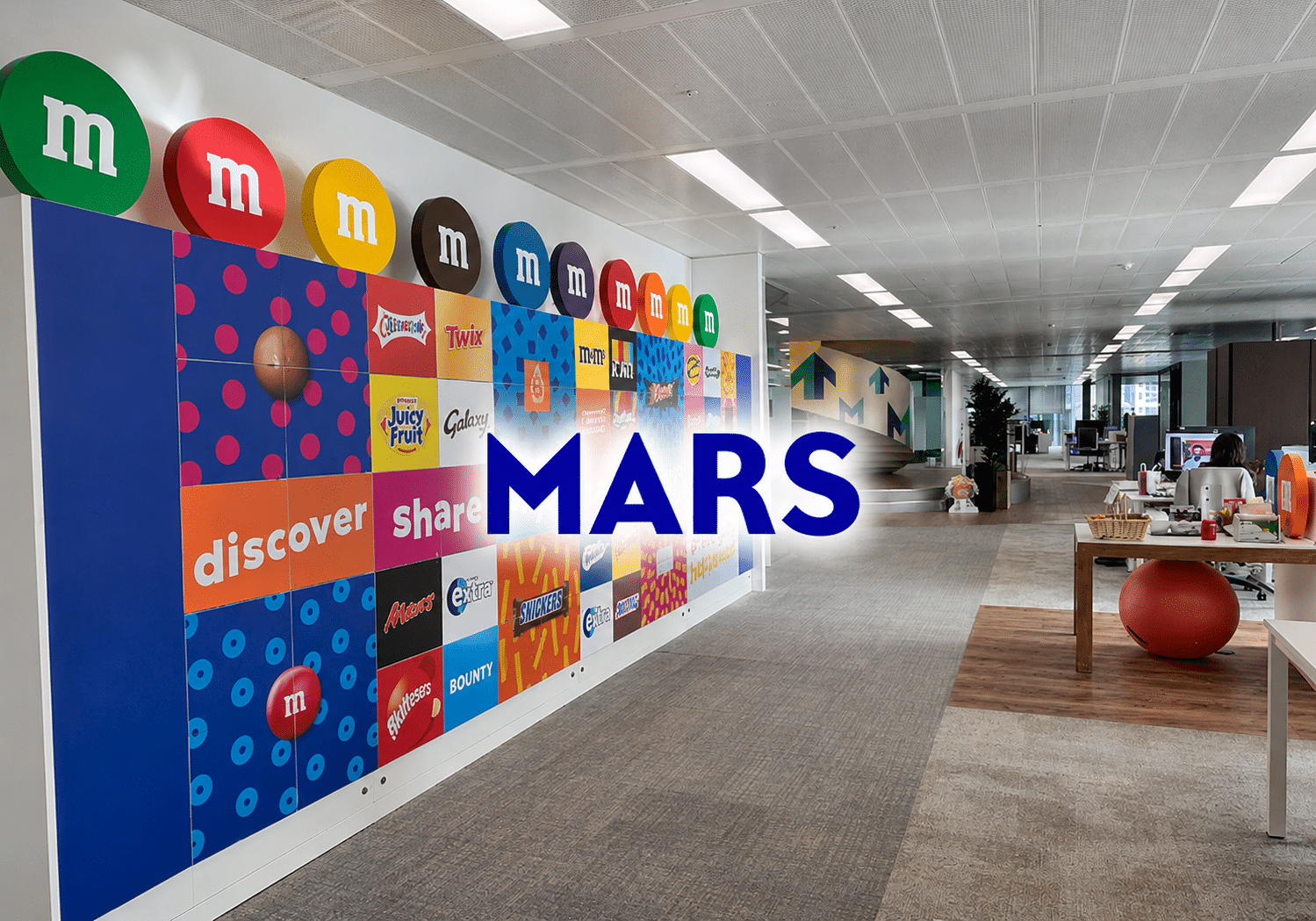
Case Study: Mars & VPOD
How Mars Streamlined Workplace Operations Across Multiple Sites
As workplace operations expanded across multiple UK locations, Mars needed a more efficient way to manage visitors, contractors, and workplace services while maintaining compliance and reducing manual administration.
By implementing Vgreet visitor management and VPOD smart lockers, Mars created a scalable, automated solution that improved operational efficiency and supported future growth across the organisation.
Results Include:
- Improved visitor and contractor management
- Reduced manual administrative processes
- Enhanced compliance and site security
- Consistent processes across multiple locations
- Scalable infrastructure for future expansion
- Improved workplace operational efficiency
Who Is Affected by Desk Sharing Equipment Bottlenecks?
IT & Workplace Operations Teams / Employees & Hybrid Workers
IT & Workplace Operations Teams
Key Challenges
- Managing shared equipment availability
- Tracking device locations and usage
- Supporting hybrid work environments
- Maximising asset utilisation
- Reducing support requests
Operational Pain Points
- Missing or misplaced equipment
- Limited visibility of assets
- Increased IT workload
- Manual tracking processes
- Pressure to purchase more devices