Identity and directory
Employees, contractors, groups, credentials, joiners, movers, leavers and single sign-on.


We design and deliver integrated systems for streamlined check-ins, secure storage, and enhanced visitor management. Our trusted partner network and focus on sustainability, data security, and customer success drives us to provide the most effective and user-friendly solutions.







We design and deliver integrated systems for streamlined check-ins, secure storage, and enhanced visitor management. Our trusted partner network and focus on sustainability, data security, and customer success drives us to provide the most effective and user-friendly solutions.
We design and deliver integrated systems for streamlined check-ins, secure storage, and enhanced visitor management. Our trusted partner network and focus on sustainability, data security, and customer success drives us to provide the most effective and user-friendly solutions.
Smart locker technical evaluation
Turn connected locker workflows into testable requirements for systems, data ownership, identity, API operations, events, security, errors, monitoring and support.
The short answer
A smart locker integration should define which system owns each business decision, what event starts the process, which data crosses the boundary, what response is required and how both systems recover when something fails. The API is one implementation mechanism—not the requirement itself.
Start with a sequence such as employee eligibility, parcel receipt, asset request or retail order. Assign a source of truth for identity, transaction, locker allocation and completion status. Then decide whether each exchange should be synchronous through an API, asynchronous through a webhook or message, scheduled through a batch file, or handled by a supported standard connector.
Place the resulting architecture and responsibilities inside the broader enterprise smart locker specification.
Integration landscape
Employees, contractors, groups, credentials, joiners, movers, leavers and single sign-on.
Attendance, desk or room bookings, site entitlements and employee-day locker sessions.
Receipt, recipient matching, compartment requests, notifications, collection and chain of custody.
Requests, approvals, asset records, issue, swap, return, diagnostics and ticket completion.
Order status, store, item size, customer credential, collection, return and cancellation.
Authorisation, transaction references, refunds, email, SMS, push notification and delivery status.
Badges, temporary identities, visit windows, zones and credential lifecycle.
Occupancy, demand, exceptions, estate status, exports and portfolio reporting.
Technical discovery
What business event starts the workflow and which system detects it?
Which identity, entitlement, order, parcel or asset conditions must be true?
Which system chooses the site, bank, compartment size and door?
Who creates and sends the credential, instruction or status update?
How is the user verified at collection, deposit, issue or return?
Which physical event confirms success and updates the source record?
Who owns timeouts, mismatches, no-capacity events and manual intervention?
Which system holds the operational record, audit evidence and performance measures?
API evaluation
Document users, sites, banks, compartments, sessions, transactions, credentials and events with stable identifiers.
Define create, read, update, cancel, allocate, release, open, notify and status operations—and which are intentionally unavailable.
Use an appropriate machine or delegated identity method; define token scope, lifetime, rotation and revocation.
Limit each client by tenant, site, workflow, action and data field rather than granting estate-wide privilege by default.
Specify required and optional fields, formats, enumerations, units, time zones, validation and personal-data classification.
State how breaking changes are introduced, communicated, tested and retired, with a defined support period.
Prevent a safe retry from creating duplicate assignments, credentials, payments or notifications.
Control competing updates so two requests cannot reserve the same door or overwrite a newer status silently.
Define limits, cursors, sorting and incremental retrieval for users, events and estate-scale reporting.
Publish quotas, burst behaviour, throttling responses and capacity expectations for normal and peak demand.
Define event names, payloads, ordering, retries, signatures, duplicate handling and replay or catch-up.
Provide current reference documentation, examples, change history, test credentials and a representative non-production environment.
Data ownership
For each field, name the source system, recipient, purpose, format, validation rule, update direction, retention owner and classification. Do not exchange an entire employee, order or visitor record when a pseudonymous identifier and entitlement will satisfy the locker workflow.
Define correlation identifiers that survive retries and allow operators to trace one transaction across platforms. Agree timestamp format and time-zone handling, especially for expiry, collection and audit events.
Apply the access, logging, minimisation and retention controls in the smart locker security and data-protection guide.
Failure and support design
Return a clear outcome, preserve the source transaction and route it for waiting, alternative allocation or manual handling.
Define retry intervals, limits, idempotency, queueing, expiry and when operators are alerted.
Reject with actionable field-level detail and prevent partial state from appearing as success.
Use sequence, version or timestamp logic and specify whether events are ignored, replayed or reconciled.
Separate command acceptance from confirmed door action; report the real outcome to the initiating system.
Establish one triage route, shared evidence, severity model, escalation times and responsibility for customer communication.
Testing and acceptance
Validate schemas, required fields, enumerations, authentication, permissions and documented error responses.
Run representative journeys across every connected system and confirm the physical locker event.
Exercise expired credentials, invalid data, duplicate requests, no capacity, failed doors and unauthorised actions.
Test realistic peaks, concurrency, webhook volume, bulk changes and agreed response-time objectives.
Interrupt dependencies, delay events, restore service and verify retries, reconciliation and operational alerts.
Confirm dashboards, support access, runbooks, ownership, training, service levels and release rollback.
Technical evaluation checklist
Context, sequence and data-flow diagrams with systems, boundaries and dependencies.
Operations, schemas, authentication, permissions, limits, errors and version policy.
Webhook or message definitions, delivery guarantees, retry and replay behaviour.
Source, purpose, owner, classification, validation and retention for exchanged fields.
Representative sandbox, sample data, mock capability and test-lifecycle rules.
Design, build, credentials, testing, monitoring, incidents, changes and support ownership.
Availability, response objectives, maintenance, change notice and escalation routes.
Data return or deletion, credential revocation, interface retirement and transition support.
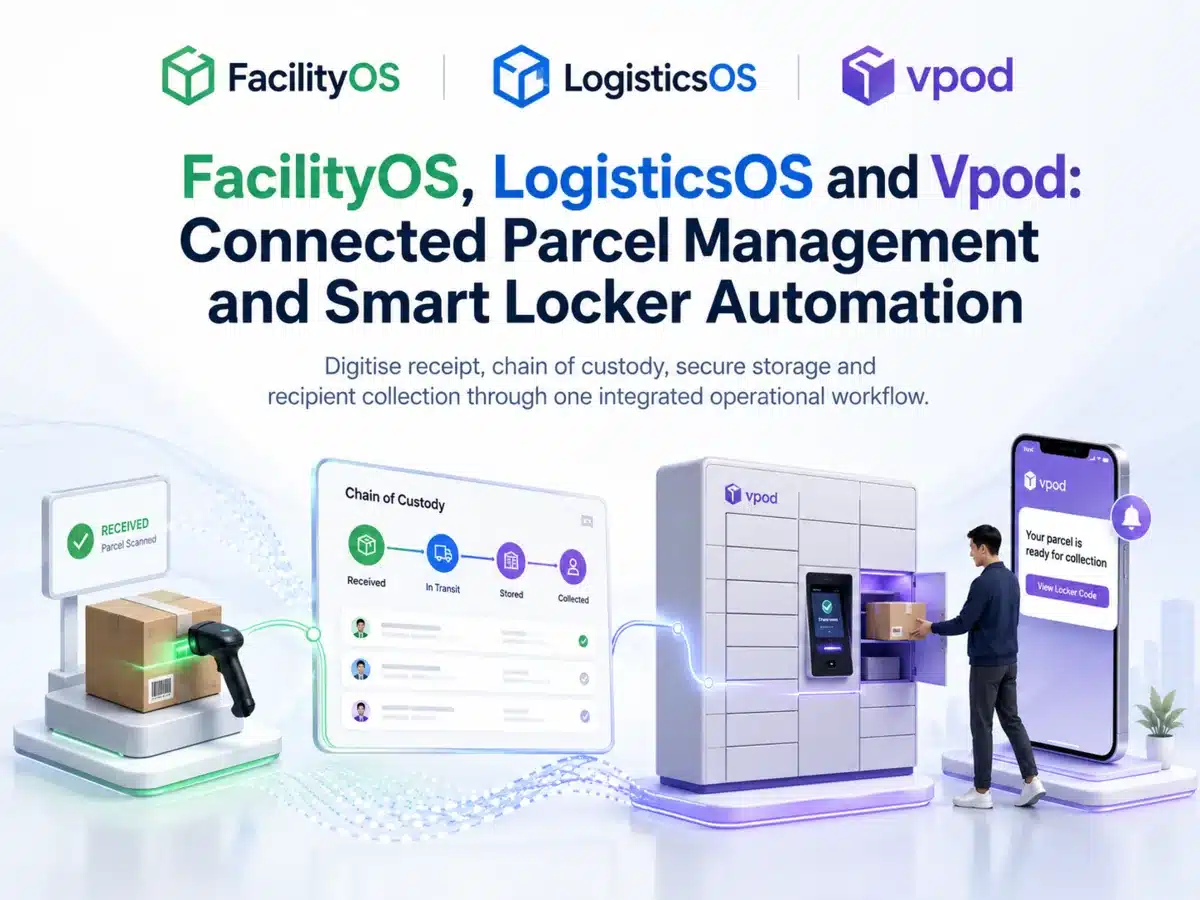
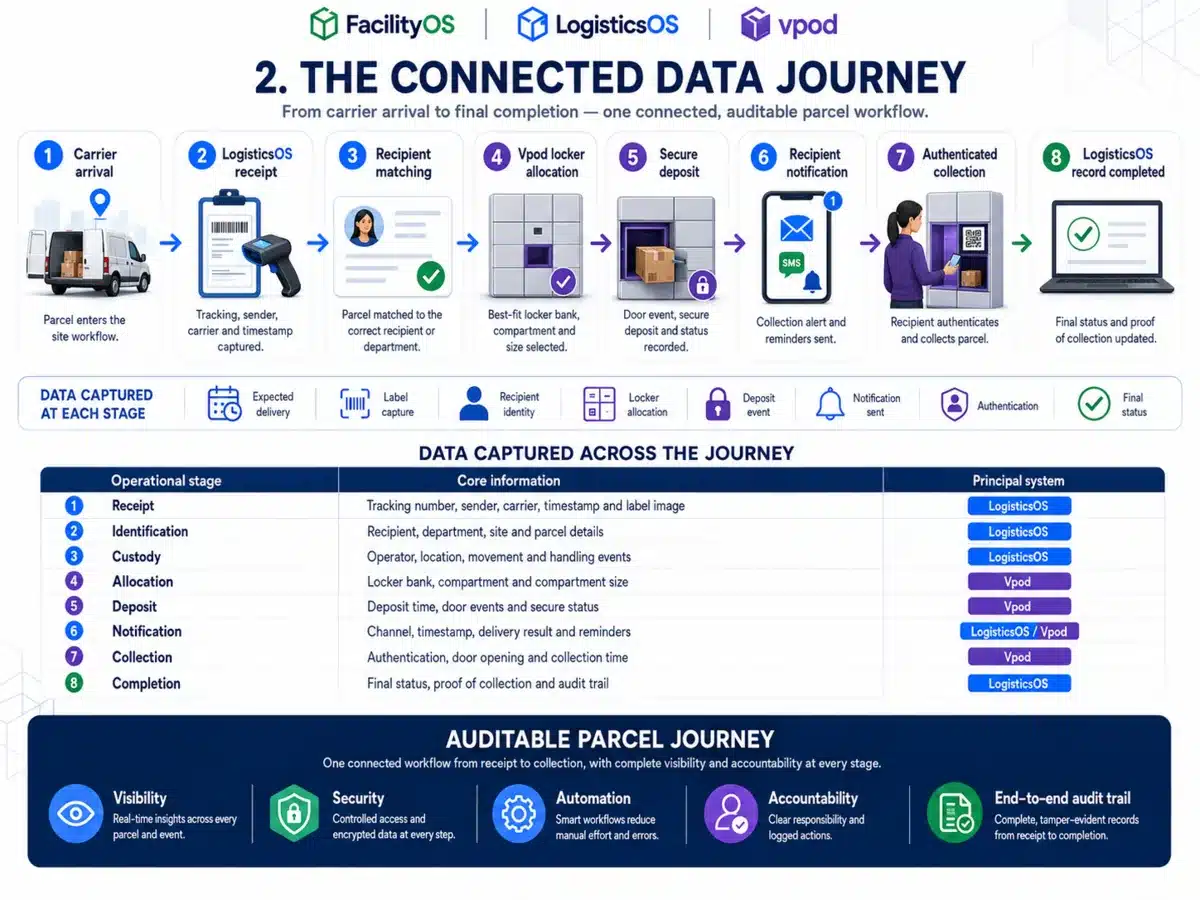
Vpod’s case study follows parcel receipt, recipient matching, best-fit locker allocation, secure deposit, notification, authenticated collection and chain-of-custody completion.
Review the connected parcel workflowTurn the workflow into a contract
Bring the user journey, source systems, identity model, data fields, peak volumes, security standards and support boundaries. Vpod can help structure the technical discovery.