








Cost, security and management
Smart Lockers vs Traditional Lockers
A practical comparison of the three issues that shape the business case: whole-life cost, security control and the work required to manage lockers every day.
The short answer
Traditional lockers secure space. Smart lockers manage a workflow.
Traditional lockers are often sufficient when users keep the same compartment, administration is light and no digital record is required. Smart lockers become more valuable when access changes, transactions need visibility, several sites require central control or storage connects to another process.
Do not pay for technology without a defined use case—but do not compare hardware prices while ignoring recurring administration, lost keys, poor utilisation or manual handovers.
At a glance
Smart lockers and traditional lockers compared
| Decision factor | Traditional lockers | Smart lockers |
|---|---|---|
| Access | Key, padlock or mechanical combination | Configured PIN, QR, RFID, mobile or identity credential |
| Assignment | Usually fixed or manually changed | Fixed, flexible, temporary or workflow-led |
| Administration | Local keys, labels, spreadsheets and physical checks | Central users, permissions, allocations and remote actions |
| Visibility | Manual inspection or separate records | Configured status, activity and utilisation information |
| Integration | Normally standalone | Can connect to identity, workplace, ITSM, parcel or payment systems |
| Continuity | No software dependency; lost keys need local intervention | Requires defined power, connectivity and override arrangements |
| Cost profile | Lower technology cost; manual management remains | Higher system scope; potential value from automation and utilisation |
For the wider feature-by-feature decision, use Vpod’s smart lockers vs traditional lockers comparison.
Cost
Compare lifetime operating cost—not cabinet price
A conventional locker normally has a lower initial technology cost. Its less visible costs may include issuing and replacing keys, changing assignments, inspecting occupancy, maintaining local records and supporting users at each location.
A smart locker adds electronic hardware, software, configuration and potentially integrations. The business case improves when those capabilities remove repeated tasks, reduce unused fixed capacity, improve asset control or enable a higher-value self-service workflow.
Security
Physical strength and access control solve different risks
Both systems need appropriate cabinet construction and locks. The difference is how access is authorised, changed and evidenced.
Credential control
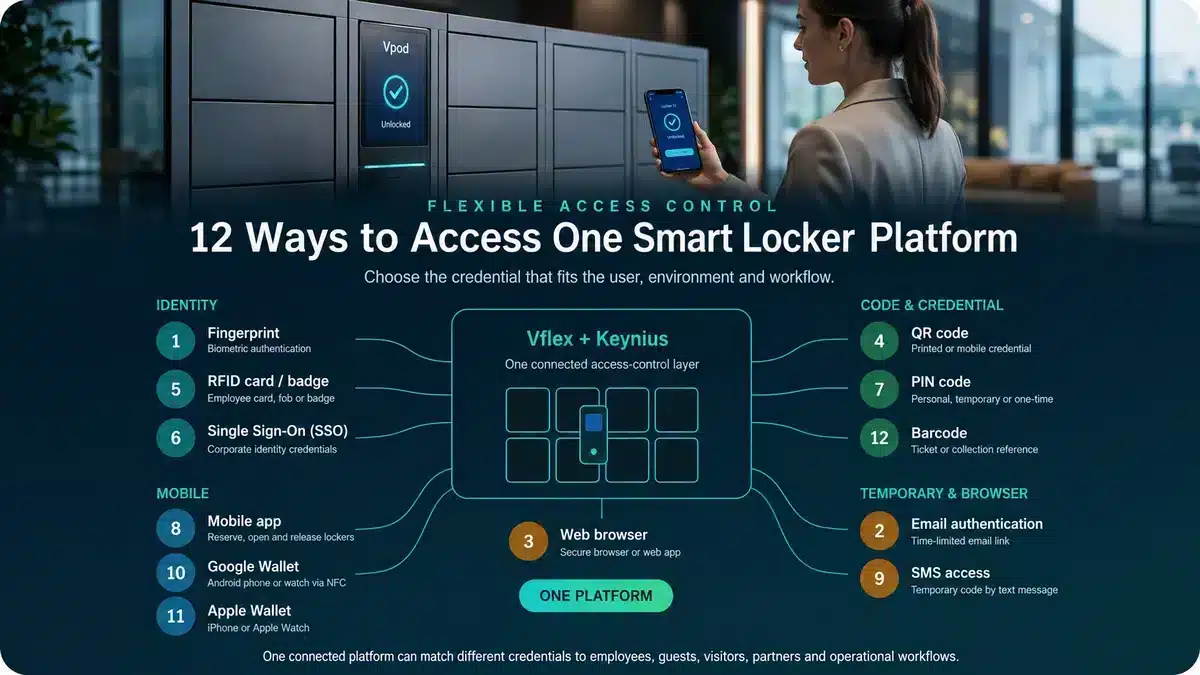
Traditional keys can be copied, lost or passed between people. Digital credentials can be issued, limited and withdrawn under defined rules.
Traceability
Mechanical access normally leaves no system record. Configured smart-locker events can support accountability and investigation.
Continuity
Connected systems require suitable power, connectivity and tested fallback procedures. Security depends on the complete design, not simply digitisation.
Management
The decisive difference appears after installation
Traditional lockers are managed at the locker wall. Smart lockers can be managed as an estate. That distinction matters when users, assignments and storage demand change frequently.
See connected lockers in operation
Watch what makes a smart locker system different
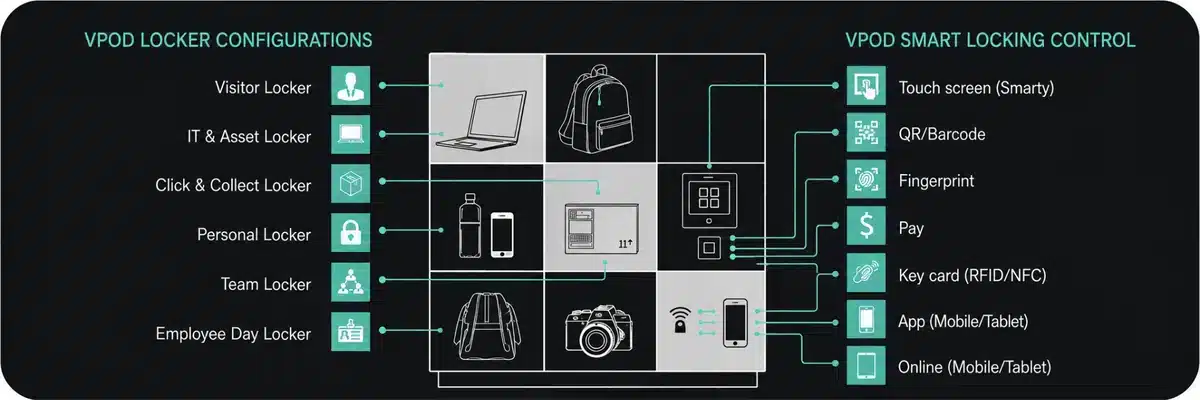
These Vpod videos show how connected lockers extend beyond the cabinet: digital access at the user interface and a wider platform for controlled storage, transactions and estate operations.

Vflex multi-purpose smart lockers
See the user experience, configurable locker formats and digital access that distinguish a connected system from conventional key-operated storage.
Watch the Vflex video →
Smart Estate Logistics Platform
Explore the management and workflow layer that turns individual locker doors into connected operational infrastructure.
Watch the platform video →Best fit
When is each locker type the stronger choice?
Traditional lockers
Choose simple local storage when:
- each user keeps the same locker;
- assignments rarely change;
- usage reporting is unnecessary;
- local administration is acceptable;
- the locker is not part of another workflow; and
- software and integration would add no useful value.
Smart lockers
Evaluate connected control when:
- users change by day, shift or location;
- allocation needs to be flexible;
- access must be permission-based;
- transactions need traceability;
- manual handovers create delay;
- multiple sites require central oversight; or
- storage connects to another system.
Operational evidence
Connected management can change utilisation and administration
Vpod’s published Skyscanner evidence reports 90% less locker administration and 70% better locker utilisation across three UK workplace locations. Those are deployment-specific results, not guarantees, but they show which outcomes buyers should measure.
Explore Vpod smart locker case studies →Decision framework
Define the requirement in seven lines
- UsersWho needs storage or collection access?
- WorkflowWhat is stored, issued, collected or returned?
- DemandHow many concurrent users and peak transactions?
- AllocationFixed, flexible, temporary or system-led?
- AccessWhich credentials and permission rules are appropriate?
- ControlWhat reporting, audit and administration are required?
- EnvironmentWhat are the material, accessibility, power and connectivity needs?
Bring Vpod the workflow
Compare the operating models before specifying the locker.
Review users, demand, access, management and integration requirements with a Vpod specialist.