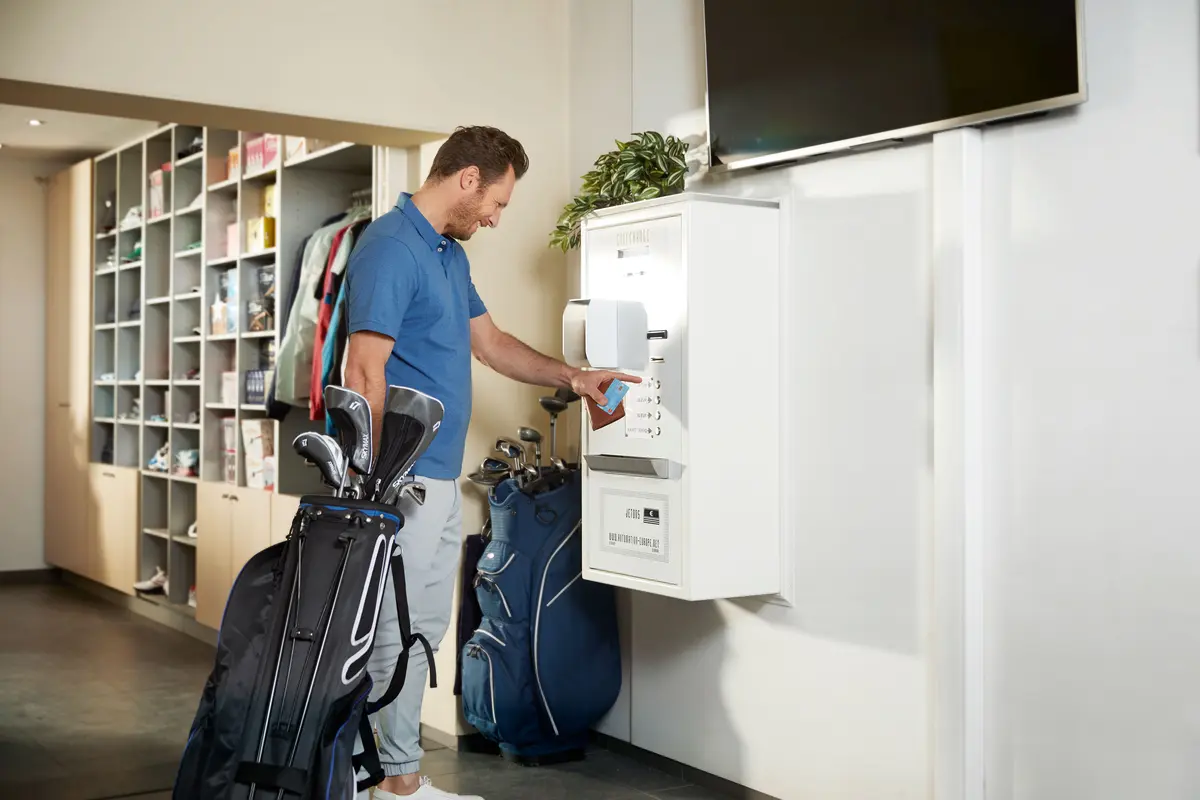
Global leaders in Smart Lockers & Smart Experiences
We design and deliver integrated systems for streamlined check-ins, secure storage, and enhanced visitor management. Our trusted partner network and focus on sustainability, data security, and customer success drives us to provide the most effective and user-friendly solutions.
Vflex Smart Lockers, Powered by Keynius, are a state-of-the-art product with quality in-house manufacturing, intelligent design, and a cloud-based platform that can support multiple locker workflows in one smart locker wall.
Vflex Smart Lockers, Powered by Keynius, are a state-of-the-art product with quality in-house manufacturing, intelligent design, and a cloud-based platform that can support multiple locker workflows in one smart locker wall.
Vflex Smart Lockers, Powered by Keynius, are a state-of-the-art product with quality in-house manufacturing, intelligent design, and a cloud-based platform that can support multiple locker workflows in one smart locker wall.
Vflex Smart Lockers, Powered by Keynius, are a state-of-the-art product with quality in-house manufacturing, intelligent design, and a cloud-based platform that can support multiple locker workflows in one smart locker wall.
Global leaders in Smart Lockers & Smart Experiences
We design and deliver integrated systems for streamlined check-ins, secure storage, and enhanced visitor management. Our trusted partner network and focus on sustainability, data security, and customer success drives us to provide the most effective and user-friendly solutions.
Global leaders in Smart Lockers & Smart Experiences
We design and deliver integrated systems for streamlined check-ins, secure storage, and enhanced visitor management. Our trusted partner network and focus on sustainability, data security, and customer success drives us to provide the most effective and user-friendly solutions.
Turn a contactless payment into timed locker access.
A guest chooses a locker and sees the price. Once the agreed Worldline payment outcome is confirmed, Vpod releases a specific locker for a defined period—while extensions, refunds, failures and abandoned rentals follow clear operational rules.
No native Worldline connector, universal terminal compatibility or customer deployment is asserted. The transaction, locker entitlement and door activity remain separate records until the solution design defines how they are linked.
BOOKINGLarge locker · 4 hoursCo-op Live · East concourse
CLOSEDoor closed · transaction matchedNo extension or refund outstanding
Make the rental tangible
The guest pays once and receives one usable locker.
The guest does not need payment terminology. They need the price, a clear “ready” message, secure access and a practical route when the tap, locker or timing does not go to plan.
£
Payment is not the locker
A confirmed payment must become a separate, time-limited locker permission.
↻
Unused rentals need ownership
Define what happens when a guest pays but never opens or empties the locker.
The visual paid-storage journey
From “Tap £6.00” to “Locker E-118 ready”.
This realistic example is illustrative and is not evidence of deployed Worldline–Vpod functionality.
WORLDLINE · ILLUSTRATIVE PAYMENT
⌁
CONTACTLESS PAYMENT CONFIRMED£6.00 · Rental VR-11842Co-op Live · 14 Sep · 19:15 · large locker
→
VPOD SMART LOCKER
▦
TIMED STORAGE READYLocker E-118 allocatedEast concourse · access until 23:15
▤
01 · CHOOSE
Select locker and time
The guest chooses a large locker for four hours and sees the full £6.00 price.
⌁
02 · TAP
Confirm contactless payment
The payment journey returns the agreed confirmed, declined, cancelled or uncertain result.
▦
03 · ALLOCATE
Assign timed storage
A confirmed payment creates the agreed locker entitlement and expiry time.
◈
04 · ACCESS
Give the guest entry
The supported PIN, QR code or other confirmed method opens Locker E-118.
↔
05 · USE
Store, reopen or finish
The guest uses the locker during the paid period, then empties and releases it.
✓
06 · RECONCILE
Match money and usage
Rental, payment, locker, extension and refund records can be matched by reference.
!
Exceptions and changed circumstances
If the tap is declined or uncertain, allocation fails, the door faults, time expires or a refund is due, avoid duplicate charges and send the case to a named venue, finance or support owner.
◎
Governance across venues
Keep price, refund authority and transaction references consistent while documenting each site’s terminals, currencies, tax, locker zones, accessibility, opening hours, support and abandoned-rental policy.
Names, prices, dates, terminals, references and lockers are illustrative. Worldline product, merchant and terminal scope, payment methods, transaction responses, refunds, data direction and locker delivery scope must be confirmed during solution design.
People who run the service
One rental needs clear commercial and operational ownership.
Venue Operations
Own queues, locker zones, opening hours, faults, lost access and left items.
Set size, duration, currency, tax, discount and booking expiry.
Payment state
Define the confirmed result that permits allocation and how uncertain results are checked.
Locker entitlement
Choose locker, access method, reopening, extension and expiry rules.
Refund and exception
Set authority for cancellations, faults, duplicate payments and unused rentals.
Reconciliation
Relate rental, Worldline transaction, locker, use, extension and refund records.
Sites and governance
Document merchant setup, terminals, reports, support and local trading rules.
Integration availability, supported triggers, data direction and delivery scope must be confirmed during solution design. Exact behaviour depends on the agreed Worldline, Vpod and smart-locker configuration. This page does not claim a native connector, universal terminal or payment-method compatibility, certification, commercial relationship, customer deployment or functionality beyond the confirmed project scope.
Start with one real rental
Show us how a guest pays, stores and leaves today.
Bring the price model, Worldline setup, venue flow, refund policy, reconciliation needs, locker rules, site differences and common exceptions.