Global leaders in Smart Lockers & Smart Experiences
We design and deliver integrated systems for streamlined check-ins, secure storage, and enhanced visitor management. Our trusted partner network and focus on sustainability, data security, and customer success drives us to provide the most effective and user-friendly solutions.
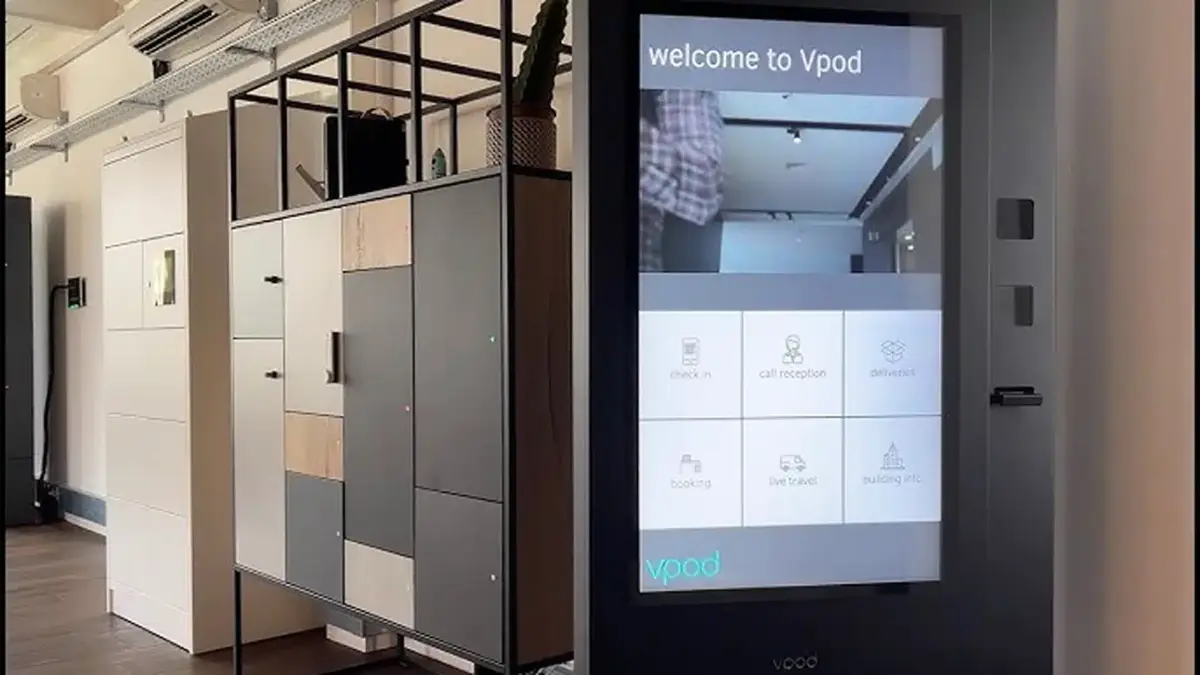
Vflex Smart Lockers, Powered by Keynius, are a state-of-the-art product with quality in-house manufacturing, intelligent design, and a cloud-based platform that can support multiple locker workflows in one smart locker wall.
Vflex Smart Lockers, Powered by Keynius, are a state-of-the-art product with quality in-house manufacturing, intelligent design, and a cloud-based platform that can support multiple locker workflows in one smart locker wall.
Vflex Smart Lockers, Powered by Keynius, are a state-of-the-art product with quality in-house manufacturing, intelligent design, and a cloud-based platform that can support multiple locker workflows in one smart locker wall.
Vflex Smart Lockers, Powered by Keynius, are a state-of-the-art product with quality in-house manufacturing, intelligent design, and a cloud-based platform that can support multiple locker workflows in one smart locker wall.
Global leaders in Smart Lockers & Smart Experiences
We design and deliver integrated systems for streamlined check-ins, secure storage, and enhanced visitor management. Our trusted partner network and focus on sustainability, data security, and customer success drives us to provide the most effective and user-friendly solutions.
Global leaders in Smart Lockers & Smart Experiences
We design and deliver integrated systems for streamlined check-ins, secure storage, and enhanced visitor management. Our trusted partner network and focus on sustainability, data security, and customer success drives us to provide the most effective and user-friendly solutions.
When a visitor checks in with vGreet, give them a secure place for belongings, contractor equipment or an item they need to collect—without asking reception staff to manage every handover.
The screen should confirm that check-in is complete, show the locker number, explain where it is and tell the visitor how to open it. Nobody should need to understand locker software or ask reception for basic instructions.
Known visitor
Their name, host and visit time are already available, so reception does not need to enter them again.
Specific outcome
The visitor receives a locker number, location and clear opening instructions.
The joined visitor journey
From “I’m here to see Alex” to “my item is secure”.
vGreet confirms who has arrived and who they are visiting. Vpod assigns the right locker, tells the visitor how to use it and records what happens.
vGREET · ILLUSTRATIVE VISIT
✓
VISITOR CHECKED INMaya Patel · 10:30London HQ · Host: Alex Morgan · Contractor
→
VPOD SMART LOCKER
▦
STORAGE ASSIGNEDLocker V-12 readyReception Zone · collect before 17:30
01 · PRE-REGISTER
Plan the visit
The host enters the visitor’s name, visit time and destination before they arrive.
02 · CONFIRM
Check they can use storage
Check-in status, host approval and the type of visit determine whether a locker is needed and for how long.
03 · ALLOCATE
Assign the right space
The system selects an available compartment of the right size in the right part of the building.
04 · CREDENTIAL
Give access to one locker
The visitor receives the QR code, badge, PIN or staff help they need to open only their assigned locker.
05 · USE
Store, collect or return
On-screen directions and status make the handover clear without guesswork.
06 · EVIDENCE
Record the collection
The record shows when the locker was assigned, opened, emptied or left overdue.
!
When something changes
If the visitor is unknown, the host changes, no locker is free or the code fails, the screen tells the visitor who to contact and alerts the responsible team.
◎
Running the same service across sites
Use the same basic check-in and locker process everywhere, then apply each building’s opening hours, security rules, accessibility needs and support contacts.
Illustrative solution-design journey only. The visitor, host, time and locker details do not represent a specific live deployment.
Designed for shared ownership
What each team needs the service to do.
Workplace Experience
Give visitors one clear route from check-in to their host and locker, without sending them between different desks or apps.
Make self-service simple—and make help easy to find.
Co-op Live Best Practice shows how Vpod self-service lockers fit a live venue operation: guests use the lockers themselves while the venue team remains available when something goes wrong.
Agree who does what before connecting the systems.
When to assign a locker
Decide whether booking, arrival, host approval or a reception choice should start the locker process.
Who is allowed to use one
Decide which visitors and contractors qualify, who confirms them and whether they use a QR code, badge or PIN.
Which locker they receive
Set the size, location, accessible options, directions and the time by which the locker must be emptied.
What must be recorded
Choose whether assignment, opening, collection, return and overdue status are recorded in vGreet, the locker system or both.
Who deals with problems
Name the team that handles unknown visitors, failed codes, full lockers, lost items and privacy or security questions.
How every site will run it
Keep the main process consistent while allowing for local opening hours, locker locations, security rules and support contacts.
Integration availability, supported triggers, data direction and delivery scope must be confirmed during solution design. This page does not assert functionality beyond the agreed configuration or claim a deployed workflow where none has been confirmed. Product names and trademarks belong to their respective owners.
Start with the arrival
Show us what happens before, during and after check-in.
Bring examples of who visits, how hosts approve them, what needs to be stored, how access works today and who handles problems.