GainShare
Capex-Free Lockers

Smart locker allocation guide

Fixed, Flexible and Dynamic Locker Allocation Explained

Choose how locker doors are assigned, released and reused by comparing certainty, convenience, utilisation, administration and policy control.

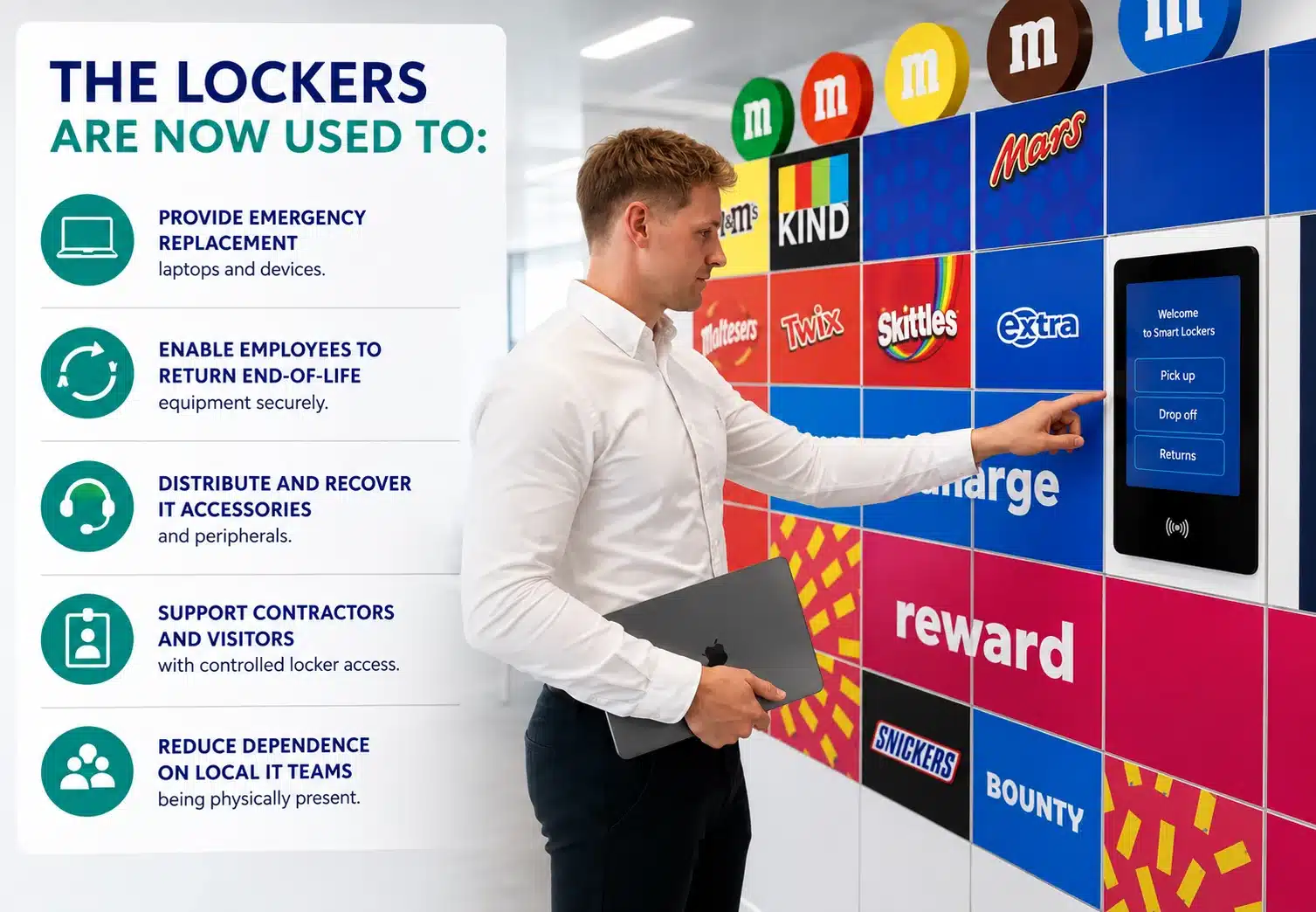
Mars workplace smart lockers used for secure IT asset distribution, device returns, employee storage and visitor access.
Mars workplace smart lockers support secure storage and asset workflows within a connected workplace environment.

The short answer

Match the assignment period to the user’s genuine need for certainty.

Fixed allocation reserves one locker for the same user or asset until an administrator changes it. Flexible allocation lets authorised users choose an available locker for a defined session. Dynamic allocation uses rules and live system data to assign or recommend a suitable available door at the point of need.

No model is universally best. Fixed assignment offers continuity but can leave doors unused. Flexible allocation improves sharing but depends on clear release rules. Dynamic allocation can distribute demand more intelligently, but requires reliable data, integrations and well-defined exceptions.

Selection principle: use the least restrictive model that still meets the workflow’s security, accessibility, continuity and service requirements.

Allocation decides how available capacity is used. The separate guide to calculating how many smart lockers an organisation needs determines how much capacity to provide.

The three models

How each locker allocation model works.

01

Fixed allocation

A named user, team or asset retains the same compartment for a long period. The door remains unavailable to others even while empty.

Best suited to
  • Personal equipment stored between visits
  • Role-specific or controlled assets
  • Users needing a consistent accessible position
02

Flexible allocation

An authorised user selects or receives any suitable free compartment for a session, then releases it after use.

Best suited to
  • Hybrid and activity-based workplaces
  • Day-use staff or visitor storage
  • Shared capacity with predictable rules
03

Dynamic allocation

Software assigns or recommends a door using identity, availability, size, location, entitlement and other configured rules.

Best suited to
  • Multi-zone or high-volume estates
  • Parcel, asset and service workflows
  • Demand that benefits from automated balancing

Terminology varies between suppliers. Procurement documents should define the required behaviour, assignment duration and release event instead of relying on the model name alone.

Side-by-side comparison

Compare fixed, flexible and dynamic allocation.

Decision factorFixedFlexibleDynamic
AssignmentNamed door retained until reassigned.User selects or is given any suitable free door.Rules engine assigns or recommends a suitable door.
Typical durationWeeks, months or ongoing.A visit, shift or defined booking.Transaction, booking or policy-defined period.
User certaintyHighest continuity.Capacity is available, but not necessarily the same door.Depends on rules, live availability and service design.
Space utilisationUsually lowest when attendance varies.Higher because released doors are shared.Potentially highest when rules balance demand effectively.
AdministrationJoiners, movers, leavers and audits require active control.Policies must prevent long-term occupation and abandoned sessions.Rule ownership, data quality and exception monitoring are essential.
Technology dependencyLower for simple named assignments.Needs session access, availability and automatic release controls.Highest: identity, workflow data and reliable decision logic.
Main riskEmpty reserved doors and hidden underuse.No suitable free door at a peak or users failing to release.Poor rules or data producing unsuitable assignments.

Define behaviour precisely

Seven rules turn an allocation label into an operating model.

01

Eligibility

Which identities, roles, teams, visitors or workflows may request a locker?

02

Assignment trigger

Does allocation start at booking, arrival, credential presentation, item deposit or an upstream event?

03

Selection logic

May the user choose, or should software consider size, zone, accessibility, power and proximity?

04

Assignment period

Is the door held permanently, for a shift, until collection or for a maximum permitted time?

05

Release event

Does collection, checkout, door closure, booking expiry or administrator action return the door to stock?

06

Exception handling

What happens after an overdue session, lost credential, failed door or unsuitable compartment?

07

Audit and privacy

Which assignment events are recorded, who may view them and how long is the data retained?

Choose by workflow

Start with user need, not a target utilisation figure.

Map what is stored, why the user needs it, how long it remains and what would happen if a suitable compartment were unavailable. A permanently issued specialist kit may justify a fixed door. A commuter’s coat and bag usually do not.

Use measured attendance and occupancy to test flexible or dynamic policies. High utilisation is not automatically good performance: a system operating too close to full capacity can create poor availability, size mismatch and longer walking journeys.

Document the chosen behaviour in the enterprise smart locker specification, including data inputs, administrator controls and reporting requirements.

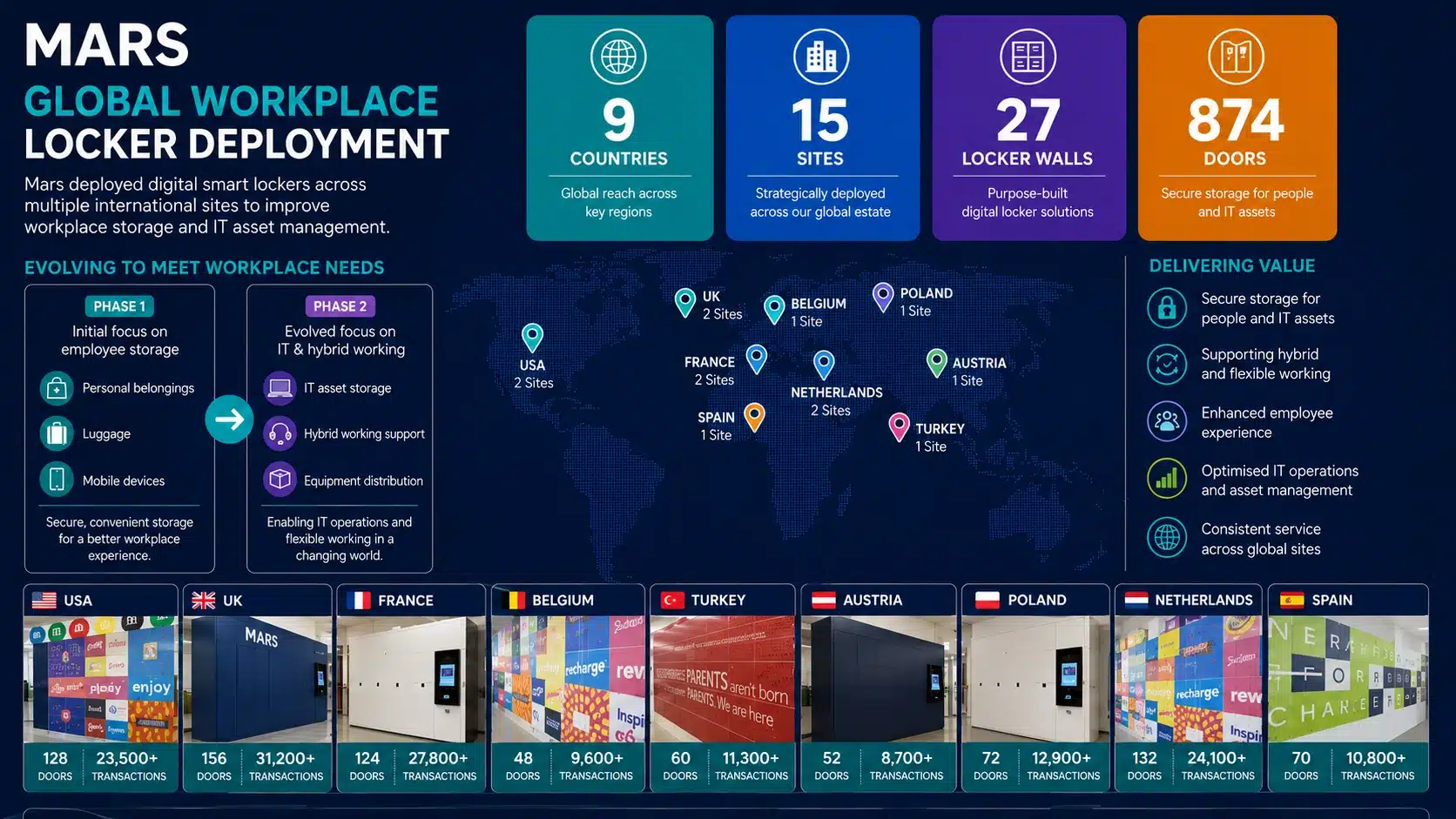
Mars global smart locker deployment across nine countries showing workplace locker locations, door numbers and IT asset management use cases.
Mars demonstrates how a connected smart locker estate can support multiple workplace and IT asset use cases across nine countries.

Blended allocation

One organisation can use all three models.

The strongest design often assigns policy by user group, compartment or workflow instead of forcing the whole estate into one model.

Fixed

Protected continuity

Reserve selected accessible compartments, specialist equipment doors or long-term asset positions for approved users.

Flexible

Shared day use

Allow the wider workforce to use any suitable free personal-storage door during a visit or shift.

Dynamic

Automated workflow

Assign parcel or IT asset doors from transaction data, item size, recipient identity and live availability.

Protect capacity boundaries. If several workflows share the same physical doors, define priorities and reserved capacity so one demand stream cannot consume the compartments another critical service needs.

Selection and rollout

Test the policy before applying it estate-wide.

  1. Segment the demand

    Separate user groups, stored items, access zones, assignment durations and exceptions.

  2. Audit present use

    Measure actual occupancy and identify reserved lockers that appear assigned but are rarely used.

  3. Define future rules

    Write the eligibility, selection, expiry, release, override and escalation behaviour.

  4. Confirm integrations

    Identify the identity, HR, booking, parcel, IT service or other data needed to operate the rules.

  5. Pilot representative groups

    Include peak attendance, accessibility needs, exceptions and people moving from fixed to shared storage.

  6. Measure and adjust

    Review utilisation, denied demand, overdue sessions, overrides, support contacts and user feedback.

AvailabilityCould each user obtain a suitable door when needed?
UtilisationHow many doors were occupied by time, size and location?
ComplianceWere sessions released and overdue items resolved?
ExperienceDid the model reduce friction without excluding users?

Design the operating model

Choose a locker allocation policy that works in practice.

Bring your user groups, workflows, attendance patterns, access requirements and current locker data. Vpod can help turn them into clear allocation rules and a practical system design.

Book a Smart Locker Discovery Session