GainShare
Capex-Free Lockers

Smart locker comparison guide

Smart Lockers vs Traditional Lockers: Which Is Right for Your Organisation?

Compare access, administration, utilisation, security and scalability before deciding whether connected lockers or conventional key-operated storage best fits your operation.

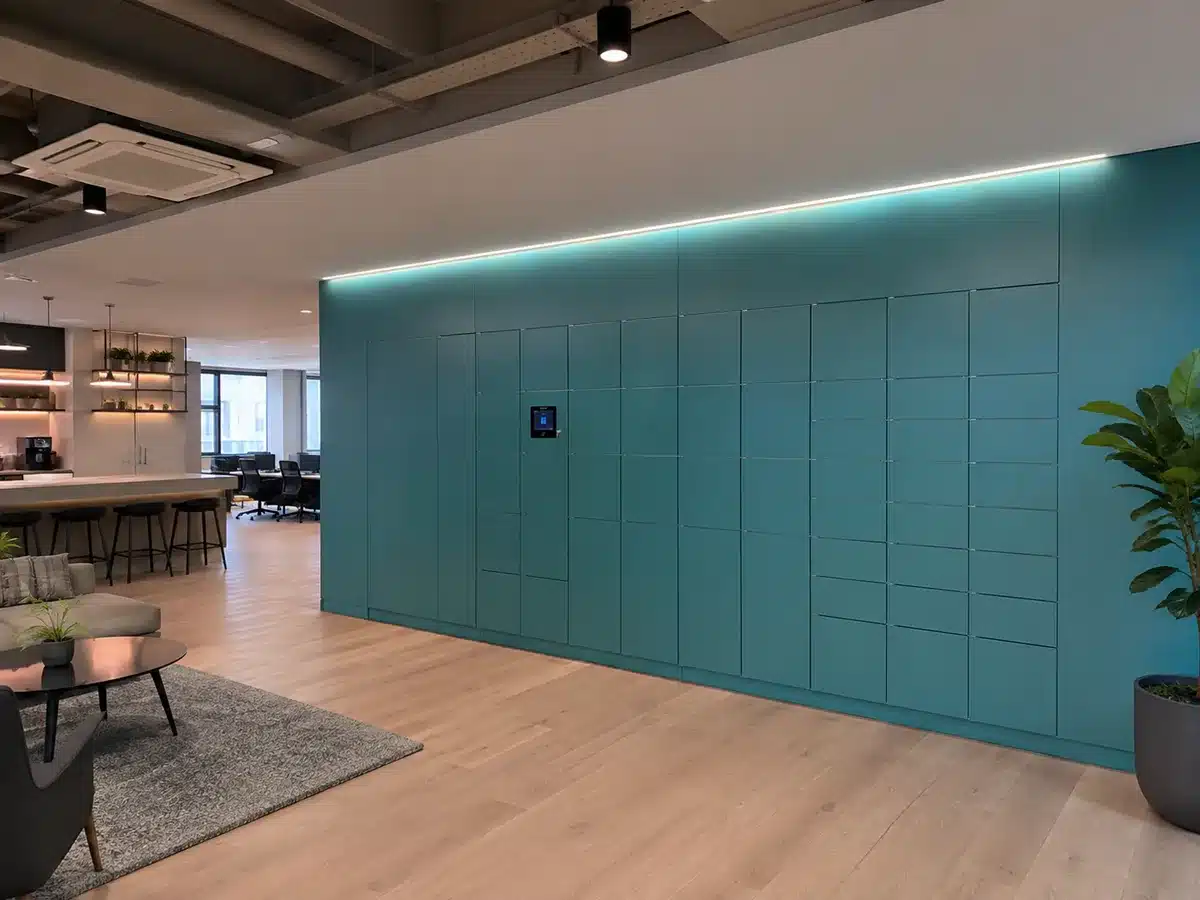
Vpod smart locker wall for secure digital storage and automated self-service access

The short answer

Choose the operating model—not simply the locker door.

Traditional lockers remain a sensible choice when storage is simple, assignments rarely change and the organisation does not need central oversight. A mechanical lock, key or combination can provide straightforward personal storage without software or network dependencies.

Smart lockers become more valuable when storage is part of a wider operational workflow. They combine electronically controlled compartments with management software so authorised users can access, reserve, collect or return items while administrators manage permissions, assignments and activity centrally.

Decision principle: if the requirement is only to secure a compartment, traditional lockers may be sufficient. If the requirement includes managing people, assets, capacity, transactions or multiple locations, compare the complete operating cost and workflow—not hardware alone.

The fundamental difference

Storage furniture versus connected operational infrastructure.

Traditional lockers

Secure compartments with local control.

Users normally rely on a physical key, padlock or mechanical combination. Assignment, lost-key handling, resets and occupancy records are managed locally or through separate manual processes.

  • Simple to understand
  • No cloud platform required
  • Suitable for stable, low-change assignments
  • Lower initial complexity
Smart lockers

Connected storage with digital control.

Users authenticate through configured digital credentials while software applies allocation rules, permissions and workflows. Administrators can oversee the locker estate without relying solely on physical keys or local records.

  • Flexible or fixed digital assignment
  • Remote administration
  • Recorded locker activity where configured
  • Integration with wider systems where required

Side-by-side comparison

Smart lockers and traditional lockers compared.

The right choice depends on the job the lockers must perform. This table separates the main operational differences without assuming that every deployment needs the same level of technology.

Decision factor Traditional lockers Smart lockers
User accessKey, padlock or mechanical combination.Configured digital methods can include PIN, QR, RFID, mobile credentials or SSO.
AllocationUsually fixed or manually reassigned.Fixed, flexible or workflow-led allocation can be managed through software.
AdministrationLocal key control, spreadsheets, labels and manual resets are common.Users, permissions, assignments and supported workflows can be managed centrally.
VisibilityAvailability and usage are usually checked physically or recorded separately.Occupancy and activity information can be available through the management platform.
Audit trailLimited unless staff maintain a separate sign-out process.Configured interactions can be recorded to support traceability and accountability.
IntegrationNormally operates as a standalone storage product.Can connect with identity, workplace, parcel, service, payment or access systems where required.
ScalabilityExpansion is mainly physical; each site is commonly administered locally.A connected platform can support consistent policies and management across multiple locker walls or sites.
ContinuityMechanical access is independent of software, although lost keys and failed locks need local intervention.Requires suitable power, connectivity and defined fallback or override procedures for the chosen configuration.
Cost profileTypically lower technology cost, with administration and key-management costs remaining operational.Higher technology and deployment scope, with potential value from automation, utilisation and reduced manual handling.
Best fitSimple personal storage with stable users and limited reporting requirements.Changing users, controlled handovers, flexible workplaces, high-value assets or multi-site operations.

Where digital control changes the outcome

Six questions that reveal whether “smart” adds operational value.

01

Do assignments change frequently?

Flexible or hybrid populations can make fixed, manually labelled lockers inefficient to maintain.

02

Must access be controlled by identity?

Digital credentials can link locker access to an authorised person, role or time window.

03

Is a transaction record important?

Asset issue, returns and controlled handovers may require a clearer history than a physical key can provide.

04

Are staff managing avoidable tasks?

Key issuance, resets, assignment changes and collection handovers can create recurring administration.

05

Do several sites need one standard?

Central control can help organisations apply common workflows and permissions across a distributed estate.

06

Must storage connect to another process?

Parcels, IT service, workplace booking, retail collection and payments may require system integration.

Selection guide

When should you choose each locker type?

Traditional lockers are likely to be enough when:

  • each person keeps the same locker for a long period;
  • there is little need to measure availability or utilisation;
  • lost keys and manual reassignment are infrequent;
  • the lockers do not support an asset, parcel or collection workflow;
  • local administration is acceptable; and
  • integration, reporting and remote management are not required.

Smart lockers deserve closer evaluation when:

  • users and storage demand change by day, shift or location;
  • the organisation wants flexible or dynamic allocation;
  • access must be permission-based or time-limited;
  • transactions need to be visible or auditable;
  • manual handovers are slowing employees or customers;
  • multiple locations require central management; or
  • lockers need to connect to existing enterprise systems.

Do not begin with the technology

Map the user journey before selecting the lock.

Define who deposits or stores the item, who retrieves it, how identity is confirmed, what happens when access fails and which team owns support. That workflow will show whether a conventional lock is adequate or whether connected control solves a genuine operational problem.

Cost comparison

Compare total ownership—not only purchase price.

A traditional locker can have a lower initial technology cost. That does not automatically make it the lowest-cost operating model. The evaluation should include the work required to allocate lockers, replace keys, reset locks, inspect occupancy, support users and administer each location.

A smart locker system introduces hardware, software, configuration, implementation and potentially integration costs. Its business case depends on whether digital control reduces manual activity, improves utilisation, enables self-service or supports a higher-value workflow.

Operational evidence

What changes when locker management becomes connected?

The most useful evidence comes from deployments where the operating challenge and reported outcome are clear.

Hybrid workplace

Skyscanner

Smart locker in action at a modern hybrid workplace
90%less locker administration
70%better locker utilisation

Flexible allocation and remote management support employees across three UK workplace locations.

Read the Skyscanner smart locker case study
Enterprise IT and workplace

Global FMCG deployment

Modern office collaboration space supporting smart locker workflows
15sites
874locker doors

A connected deployment supports secure IT asset and hybrid-workplace workflows across nine countries.

Explore the global enterprise case study

Results shown are taken from Vpod’s published customer case-study pages. They illustrate specific deployments and should not be treated as guaranteed outcomes for every project.

Before you replace traditional lockers

Define the requirement in seven lines.

A concise operational brief helps prevent over-specification and makes competing approaches easier to compare.

  1. UsersWho needs storage or collection access?
  2. WorkflowWhat is stored, deposited, issued or returned?
  3. DemandHow many concurrent users and peak transactions?
  4. AllocationFixed, flexible, temporary or system-led?
  5. AccessWhich credentials and permission rules are appropriate?
  6. ControlWhat reporting, auditability and administration are required?
  7. EnvironmentIndoor or outdoor, materials, power, connectivity and accessibility?

The decision

The best locker is the simplest system that meets the operational requirement.

Traditional lockers are not obsolete. They remain effective for uncomplicated, stable storage. Smart lockers are appropriate when software control removes recurring friction or enables a process that conventional locks cannot support efficiently.

For an enterprise buyer, the strongest comparison is therefore not “mechanical versus digital”. It is the current operating model versus the proposed one: staff time, user experience, storage utilisation, control, risk, scalability and lifetime cost.

Bring us the workflow—not a finished specification

Book a smart locker discovery session.

Review your users, storage demand, access requirements, administration and existing systems with a Vpod specialist.

Book your session