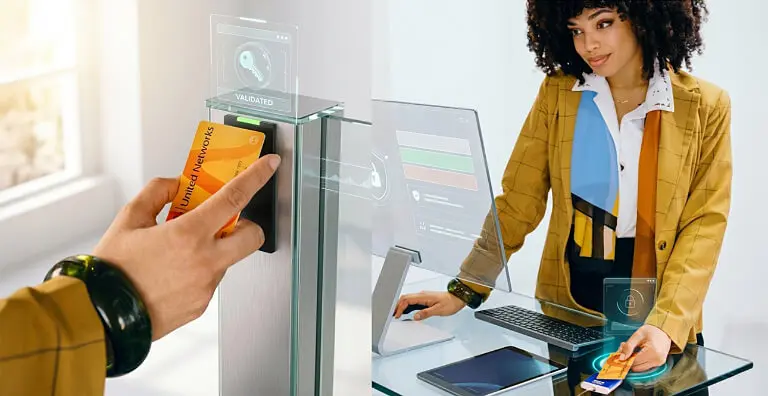
Global leaders in Smart Lockers & Smart Experiences
We design and deliver integrated systems for streamlined check-ins, secure storage, and enhanced visitor management. Our trusted partner network and focus on sustainability, data security, and customer success drives us to provide the most effective and user-friendly solutions.
Vflex Smart Lockers, Powered by Keynius, are a state-of-the-art product with quality in-house manufacturing, intelligent design, and a cloud-based platform that can support multiple locker workflows in one smart locker wall.
Vflex Smart Lockers, Powered by Keynius, are a state-of-the-art product with quality in-house manufacturing, intelligent design, and a cloud-based platform that can support multiple locker workflows in one smart locker wall.
Vflex Smart Lockers, Powered by Keynius, are a state-of-the-art product with quality in-house manufacturing, intelligent design, and a cloud-based platform that can support multiple locker workflows in one smart locker wall.
Vflex Smart Lockers, Powered by Keynius, are a state-of-the-art product with quality in-house manufacturing, intelligent design, and a cloud-based platform that can support multiple locker workflows in one smart locker wall.
Global leaders in Smart Lockers & Smart Experiences
We design and deliver integrated systems for streamlined check-ins, secure storage, and enhanced visitor management. Our trusted partner network and focus on sustainability, data security, and customer success drives us to provide the most effective and user-friendly solutions.
Global leaders in Smart Lockers & Smart Experiences
We design and deliver integrated systems for streamlined check-ins, secure storage, and enhanced visitor management. Our trusted partner network and focus on sustainability, data security, and customer success drives us to provide the most effective and user-friendly solutions.
An agreed HID card or mobile credential can identify the employee at a smart locker. A separate entitlement decision then determines which locker they may open and what they may collect or return.
A proposed connection could let an agreed HID credential identify the employee before workplace storage is released or shared equipment is collected and returned. The credential, locker entitlement and event record are separate design decisions; this page does not claim that every HID credential or reader works natively with Vpod.
The credential answers “who is here?”. The agreed entitlement answers “what may this person do?”. Keeping those checks separate supports safer access, clearer exception handling and faster revocation.
◈
Credential
A physical card, phone or other agreed HID method identifies the person.
✓
Entitlement
Role, location, asset and time rules decide whether the locker action is allowed.
The credential-led locker journey
From building badge to Locker B-24.
This example shows an employee returning a laptop after entering London HQ. It is an illustrative workflow, not evidence of deployed functionality.
HID · ILLUSTRATIVE CREDENTIAL
◈
EMPLOYEE RECOGNISEDJordan Lee · credential activeLondon HQ · building entry accepted
→
VPOD SMART LOCKER
▦
RETURN PERMITTEDLocker B-24 assignedFloor 3 IT point · due by 17:30
▤
01 · NEED
Start with a locker task
The employee needs workplace storage or must collect or return an approved item.
✓
02 · ENTITLEMENT
Check what is allowed
Role, site, asset, time window and current access status determine permission.
▦
03 · ASSIGN
Choose the locker action
An available compartment and permitted collection, return or storage step are assigned.
◈
04 · CREDENTIAL
Present the HID credential
The employee uses the agreed physical card, phone, wearable or wallet route.
↔
05 · USE
Open, collect or return
Only the assigned door and approved action become available.
▥
06 · EVENT
Record what happened
The agreed access, denial, collection, return or timeout event goes to the chosen record.
!
When the credential or locker fails
A lost card, revoked mobile credential, unreadable identifier, missing entitlement or unavailable door should keep access secure and route the case to the named owner.
◎
Running the same control across sites
Keep identity and revocation rules consistent while documenting each building’s credential technologies, locker zones, time windows, emergency process and support contacts.
Illustrative workflow only. Names, credentials, locations, assets and locker details are examples. Compatibility, supported readers, credential types, triggers and events must be confirmed during solution design.
What each team must decide
Clear ownership across security, technology and facilities.
Security Managers
Define acceptable credentials, entitlement rules, revocation timing and denied-access response.
Confirm credential compatibility and operational ownership.
Credential and reader
Identify the exact HID card, mobile credential, wallet, reader and identifier in use.
Entitlement source
Define which system decides role, site, asset, time and locker permission.
Locker action
Agree assignment, collection, return, duration and compartment-selection rules.
Events returned
Choose which access, denial, collection, return and timeout events go where.
Revocation
Set timing and fallback for lost cards, disabled identities and revoked mobile credentials.
Support and governance
Document monitoring, retention, site differences, emergency access and named owners.
Integration availability, supported triggers, data direction and delivery scope must be confirmed during solution design. Exact behaviour depends on the agreed HID, Vpod and smart-locker configuration. This page does not claim universal credential compatibility, a native connector, certification, commercial relationship, customer deployment or functionality beyond the confirmed project scope.
Start with the real credential
Show us how employees enter the building and use lockers today.
Bring the exact card or mobile credential, reader estate, entitlement source, revocation process, event requirements and examples of failed access.