GainShare
Capex-Free Lockers

WORKPLACE LOCKER COMPARISON

Assigned vs Dynamic Workplace Lockers: Which Model Fits Hybrid Work?

Assigned lockers give named users dependable personal storage. Dynamic locker allocation makes shared workplace lockers available when employees are on site, then returns capacity to the pool when the session ends. The right model depends on people, policy, attendance and workflow—not fashion.

  • Assigned storage
  • Shared lockers
  • Dynamic allocation
  • Hybrid workplaces
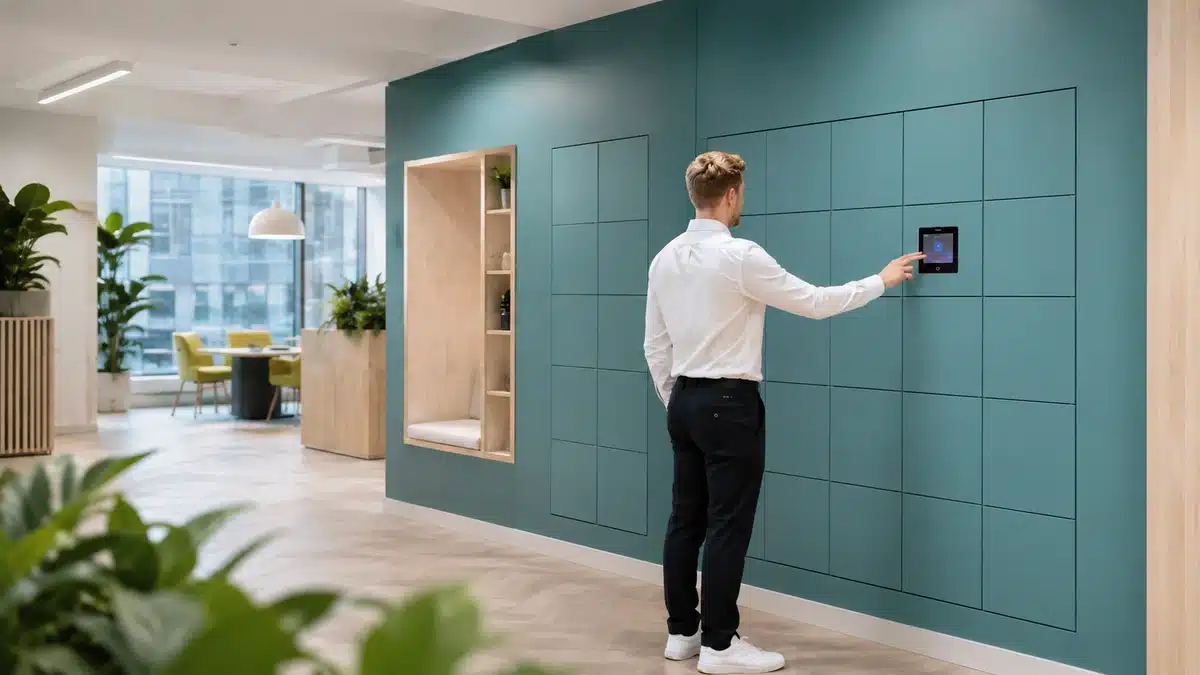
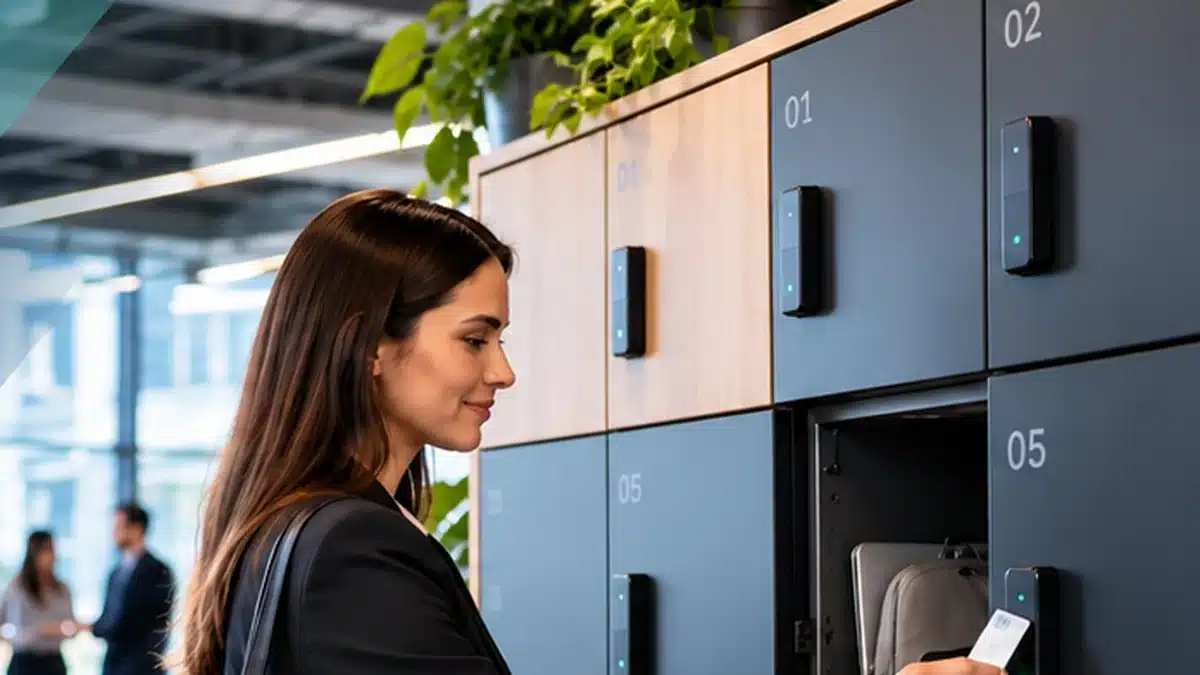
Employee using shared smart workplace lockers with dynamic allocation and digital access
Workplace storage can be reserved, shared or dynamically allocated according to employee need and policy.

01 · THE DECISION

Assigned lockers optimise certainty. Dynamic lockers optimise reusable capacity.

Neither model is universally better. The practical choice is to match allocation to the employee group, the amount of personal storage required and how frequently attendance changes.

A
ASSIGNED

One named user. One reserved locker.

A locker remains associated with a defined employee or role until the assignment is changed.

  • Predictable personal storage
  • Suitable for long-term belongings
  • Simple employee expectation
  • Capacity remains reserved when the user is absent
Best fit Permanent storage, specialist roles, accessibility needs, controlled long-duration use.
D
DYNAMIC

Allocate storage when it is needed.

Software uses identity, availability, location, duration and policy to allocate an appropriate locker and release it according to the workflow.

  • Reusable shared capacity
  • Supports variable attendance
  • Rules can vary by user group or zone
  • Creates usage and availability data
Best fit Hybrid teams, hot-desking, shared neighbourhoods, multi-site workplace programmes.
FIXED Reserve for defined users Continuity first
→
FLEXIBLE Share when employees attend Availability first
→
DYNAMIC Apply rules automatically Context + policy

Vpod’s workplace model supports fixed, flexible and dynamic allocation in the same wider programme, so organisations do not need to force every employee into one storage policy. Explore Vpod workplace storage for hybrid offices →

02 · SHARED WORKPLACE LOCKERS

Shared lockers work when release rules are as clear as access rules.

Shared workplace lockers are not simply unassigned cupboards. A strong shared model defines who can use storage, where they can use it, how long the allocation lasts, what happens if belongings remain and how capacity returns to the available pool.

Who is eligible? Which zone? How long? How is it released? What if occupied? Who handles exceptions?
See why locker shortages happen at scale →
Shared workplace lockers supporting flexible employee storage
Shared capacity should follow where and when teams actually work.

03 · THE USER JOURNEY

The operational difference is what happens before and after the door opens.

1 IDENTIFY

Employee presents identity

Badge, mobile credential, PIN, QR or another agreed method identifies the user.

2 CONTEXT

System checks entitlement

User group, location, allocation policy and existing assignments are evaluated.

3 ALLOCATE

Locker is selected

Assigned: open the reserved locker. Dynamic: choose an appropriate available locker.

4 USE

Storage remains accessible

The employee accesses the locker during the agreed session or assignment period.

5 RETURN

Employee retrieves belongings

The door event can trigger the next workflow step according to configured rules.

6 RELEASE

Capacity returns to pool

Dynamic capacity becomes available again while the event record remains visible.

VPOD VIDEO LIBRARY

See the Vflex day-locker user journey.

Vpod’s video library includes a workplace workflow covering employee identification, allocation, use and release.

Hybrid workplace locker capacity planning using attendance and demand
Dynamic allocation becomes most useful when attendance and location vary.

04 · HYBRID WORKING

When attendance changes, permanent ownership can create artificial scarcity.

If lockers remain reserved while their owners work elsewhere, employees can experience “no lockers available” even when the estate has substantial unused capacity.

Variable attendance Demand changes by day and team.
Desk sharing Employees move between work settings.
Anchor days Peak demand can be concentrated.
Multi-site work People may need storage in different locations.

Key principle: use assigned storage where certainty is required; use shared or dynamic storage where reuse creates operational value.

05 · IDENTITY & ACCESS

Dynamic allocation depends on knowing who the user is and what they are allowed to do.

A digital workplace locker should connect identity, entitlement and physical access. The exact architecture varies by organisation, but the governance questions are consistent.

IDENTITY Who is this?
→
ENTITLEMENT What can they use?
→
ALLOCATION Which locker fits?
→
EVENT What happened?
  • Employee, contractor and visitor populations
  • Joiner / mover / leaver lifecycle
  • Credential and fallback methods
  • Temporary or accessibility entitlements
  • Audit and administrator permissions
Employee using digital identity to access a smart workplace locker
Dynamic storage works best when employee identity and locker policy form one controlled journey.

06 · UTILISATION & CAPACITY

Dynamic allocation changes the question from “who owns this locker?” to “how hard is this capacity working?”

01

Availability

How many lockers are ready for use now?

02

Occupancy

How much capacity is currently in use?

03

Dwell time

How long does each allocation remain occupied?

04

Peak demand

Which days, floors or teams create pressure?

05

Exceptions

Which lockers are overdue, blocked or need support?

06

Rebalancing

Where should policy, zoning or capacity change?

Smart locker occupancy and utilisation dashboard
Operational visibility helps workplace teams identify under-used capacity and peak pressure.
CAPACITY PLANNING

Dynamic does not mean “fewer lockers at any cost”.

Capacity still has to cover realistic peak demand. Use eligible employees, peak attendance, storage take-up, assigned-user needs, zoning and growth allowance.

Read the Workplace Locker Capacity Planning Guide →

08 · LIVE WORKPLACE EVIDENCE

Skyscanner shows why flexible allocation matters in a hybrid estate.

Vpod’s published Skyscanner case study describes a centrally managed smart locker system across London, Edinburgh and Glasgow. It reports 90% less locker administration and 70% better locker utilisation.

3 UK locations
90% less locker administration
70% better locker utilisation
1 connected workplace approach
Smart workplace locker deployment supporting flexible storage and dynamic allocation
Flexible allocation and central management support hybrid employees across multiple offices.
VPOD CUSTOMER STORY Skyscanner smart workplace testimonial

09 · DECISION MATRIX

Use a mixed model when employee needs are mixed.

Decision area Assigned locker Dynamic / shared locker
Ownership Reserved to a named user or role Allocated to an eligible user when required
Attendance pattern Best where presence or storage need is consistent Best where attendance varies
Long-term belongings Strong fit Requires clear dwell-time and release policy
Hybrid desk sharing Can leave unused reserved capacity Designed to reuse released capacity
Capacity planning Closer to dedicated user count Based on concurrent demand plus contingency
User location Usually fixed Can be allocated by building, floor or zone
Administration Manual reassignment may be required Rules can automate assignment and release
Data Focus on assignment status Availability, occupancy, dwell and demand data
Best enterprise approach Use both where the workforce contains both permanent and variable storage needs.

10 · MOVING FROM ASSIGNED TO DYNAMIC

Change the operating model before changing every locker.

01

Segment users

Identify who genuinely needs dedicated long-term storage and who can use shared capacity.

02

Measure demand

Use peak attendance, locker take-up and zone-level pressure rather than total headcount.

03

Define rules

Set eligibility, duration, release, overdue and exception workflows.

04

Connect identity

Confirm employee credentials, lifecycle and administrator roles.

05

Pilot a zone

Validate employee behaviour, communications, support and utilisation before scaling.

06

Optimise

Review usage data and rebalance capacity, zoning or policy after go-live.

NEXT STEP

Design the allocation model around your workplace.

Vpod can configure workplace lockers around employee groups, attendance, identity, access methods, integrations and multi-site requirements.

QUICK ANSWERS

Assigned and dynamic workplace locker FAQs

What is the difference between assigned and dynamic lockers?

Assigned lockers remain reserved for named users or roles. Dynamic lockers are allocated when an eligible user needs storage and can return to the available pool when the configured session or workflow ends.

What are shared workplace lockers?

Shared workplace lockers are available to an authorised user population rather than permanently tied to one employee. They work best with clear rules for access, duration, release and exceptions.

What is dynamic locker allocation?

Dynamic locker allocation uses software rules such as identity, availability, location, user group and policy to assign suitable storage when it is needed.

Are dynamic lockers better for hybrid working?

They are often well suited to hybrid teams because released capacity can be reused by employees attending on different days. Assigned lockers may still be appropriate for defined users or long-term storage needs.

Can one workplace use assigned and dynamic lockers together?

Yes. A mixed model can retain dedicated lockers for users who require certainty while using shared or dynamic capacity for variable-attendance groups.

Do dynamic lockers reduce the number of lockers required?

Dynamic allocation can improve utilisation, but the final quantity should still be based on peak concurrent demand, storage take-up, zoning, assigned-user needs and contingency.

How are dynamic lockers released?

Release depends on the configured workflow. It can follow user action, end-of-session logic or another agreed rule, with exceptions for overdue or occupied lockers.

Can dynamic lockers use existing employee badges?

They can where the chosen credential, reader and identity design are compatible. Exact credential and entitlement requirements should be confirmed during solution design.

WORKPLACE STORAGE THAT MATCHES HOW PEOPLE WORK

Assigned where certainty matters. Dynamic where sharing creates value.

The strongest workplace locker programme does not choose one model by default. It creates clear allocation rules for different employee groups and uses smart locker infrastructure to operate those rules consistently.