





IT Asset Locker Software & Tracking
Connect the service request, asset record and physical handover in one controlled workflow. Vpod combines smart asset lockers, cloud management software and enterprise integration design so IT teams can track request → allocation → authenticated collection → return → inspection → redeployment.
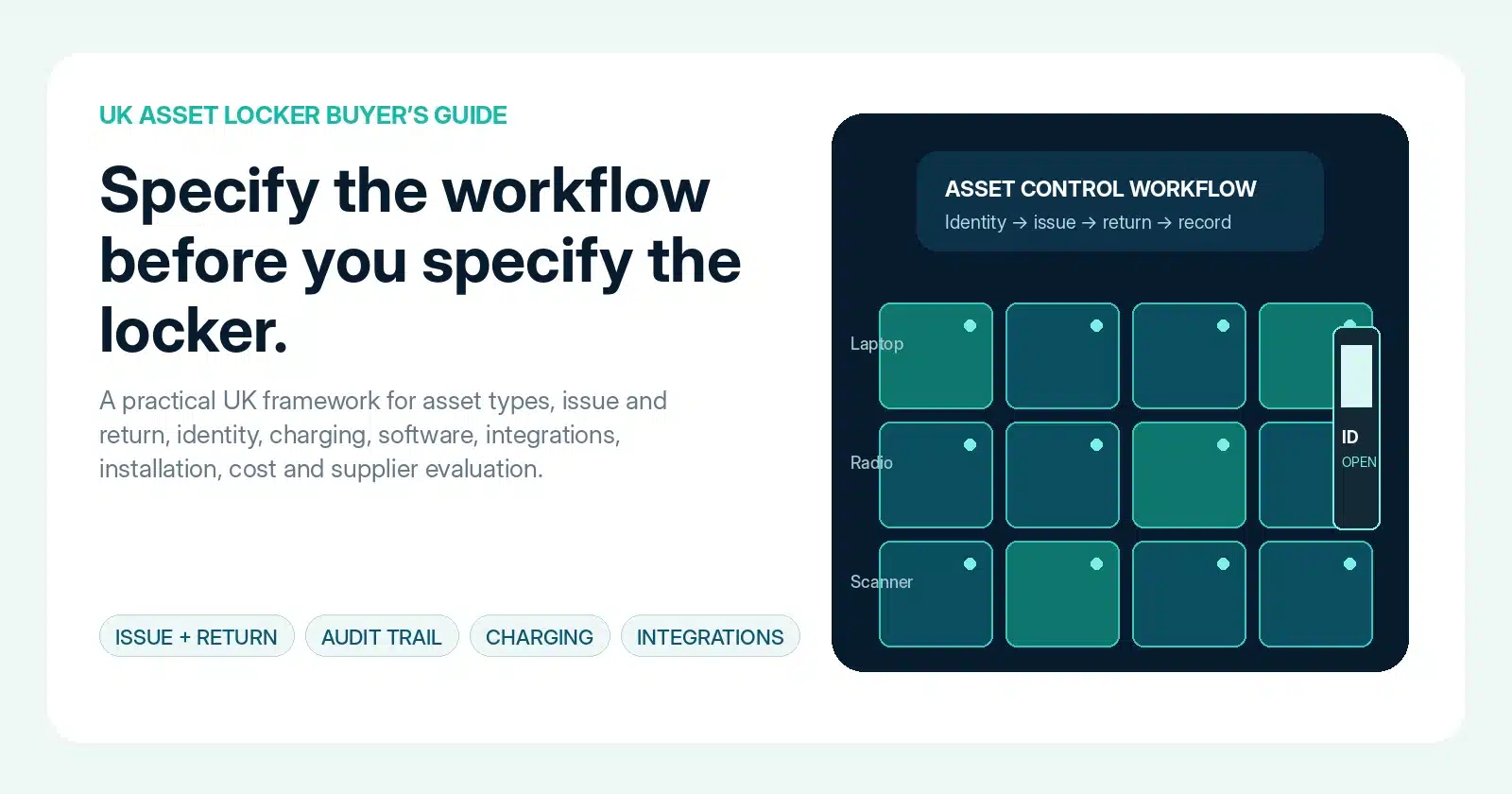
Track the asset from approved need to redeployment.
The useful unit of control is not the locker door. It is the complete asset transaction: who requested the item, what was allocated, who collected it, what came back, what condition it was in and whether it is ready to issue again.
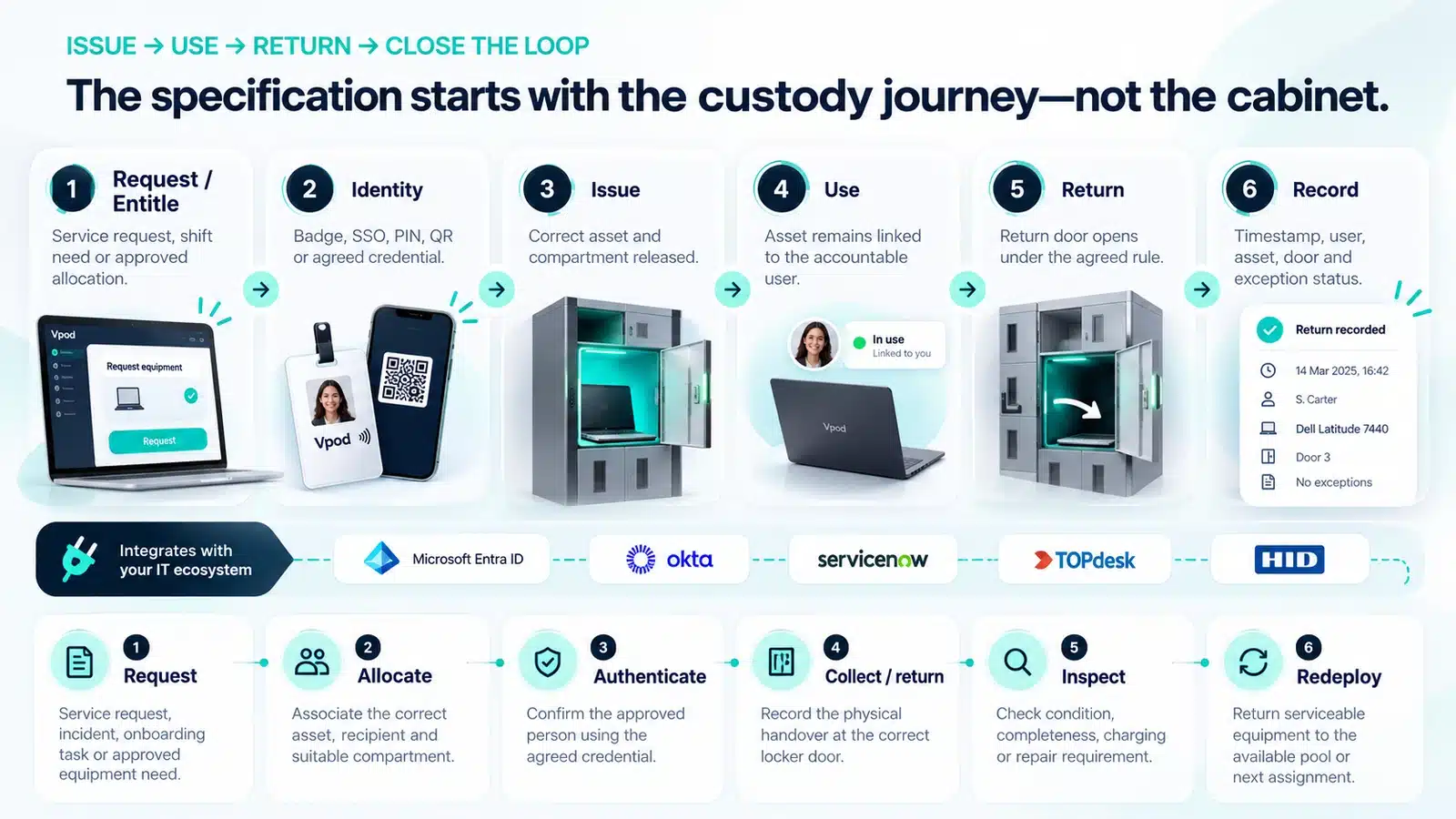
Make every custody change traceable.
IT asset tracking lockers are most valuable when physical events can be related to a stable user, asset, site, compartment and service record. The locker should strengthen the source systems around it—not become another isolated asset database.
Minimum transaction record
Tracking principle
Use the locker platform for the physical event and operational status. Keep authoritative asset, identity and service records in the systems already designed to own them.
This mirrors Vpod’s integration principle: trigger → decide → act → report.
Control allocation, access, status and exceptions across the estate.
Asset management lockers need software that does more than open doors. Evaluate how the platform manages users, permissions, compartments, transactions, alerts, availability, faults and reporting.
Allocation
Assign the right asset and compartment around workflow, size and availability.
Access
Apply entitlement before authenticated collection or return.
Exceptions
Route no-shows, failed access, overdue assets and faults to an owner.
Reporting
Review transactions, availability, utilisation and operational trends.
Let each system own the decision it already understands.
A supportable asset workflow separates identity, service management, physical access and locker events while agreeing exactly which data and status move between them.
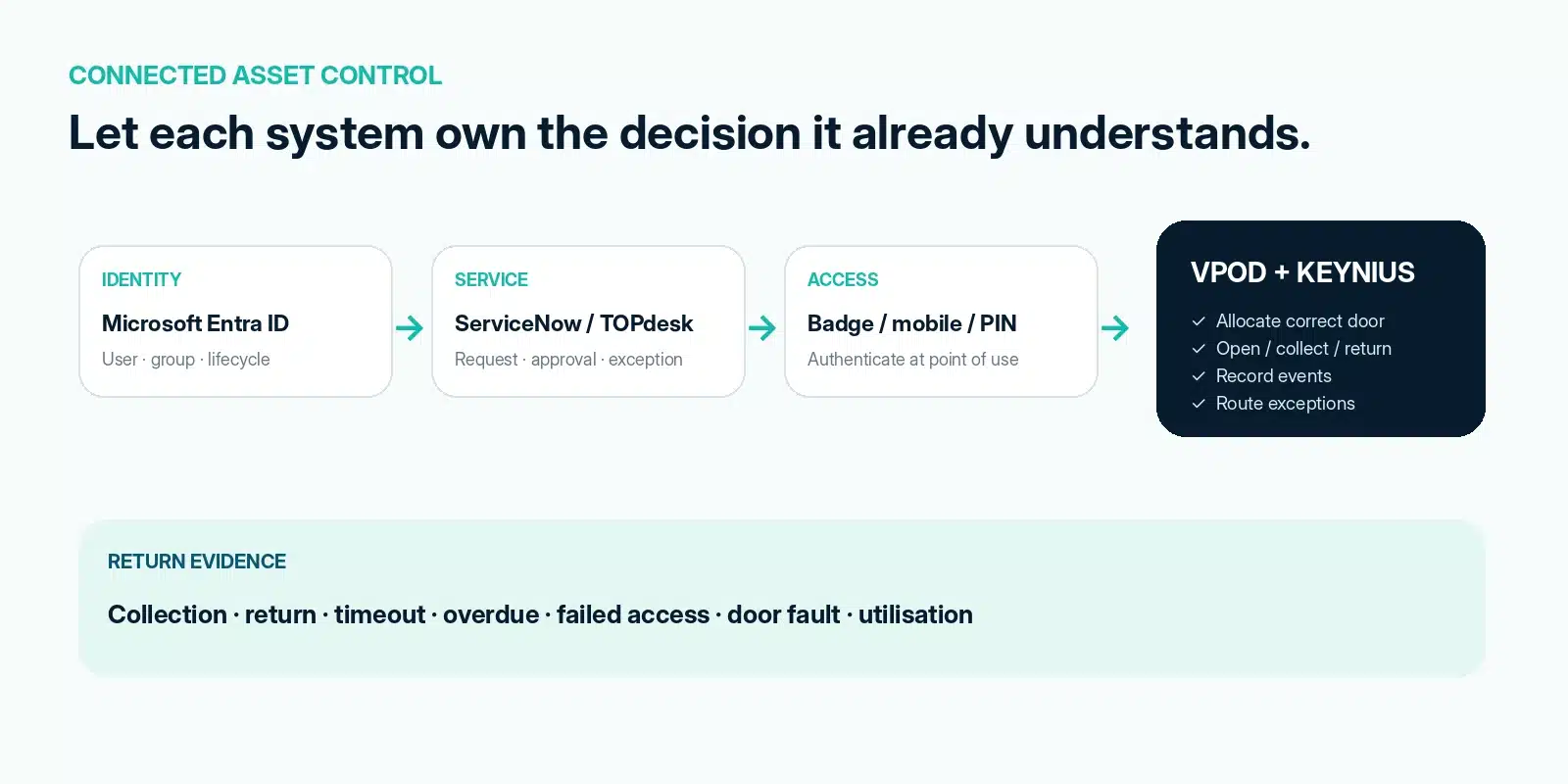
Request or incident → approval → allocation → collection / return → agreed custody event back to the service record.
Explore ServiceNow integration →Request → approval → issue / return → status update → exception ticket → audit evidence.
Explore TOPdesk integration →Identity, groups, roles and lifecycle context can inform equipment eligibility.
Explore Entra ID integration →Lifecycle and policy can govern entitlement and timely access removal.
Explore Okta integration →Use an agreed employee card or mobile credential to identify the person at the locker.
Explore HID integration →Define operations, events, ownership, authentication, errors, retries, monitoring and support before selecting the interface.
Explore API requirements →Collection is not the end of the asset record.
A complete workflow needs a defined return and inspection state. IT should know whether an item has been returned, whether it is complete, whether it needs repair or charging and whether it is available for the next user.
Return evidence
Capture the agreed return event, user, compartment, time and relevant service reference.
Inspection state
Separate returned from serviceable. Record damage, missing accessories, charging or quarantine where required.
Redeployment status
Only make an asset available again after the agreed inspection or preparation step is complete.
Use one operating model across locations without hiding local exceptions.
Mars: IT asset lockers at enterprise scale.
Vpod’s global FMCG case study describes secure self-service IT asset distribution, emergency laptop replacement and returns across a multi-country estate.
See how connected IT asset handover works.
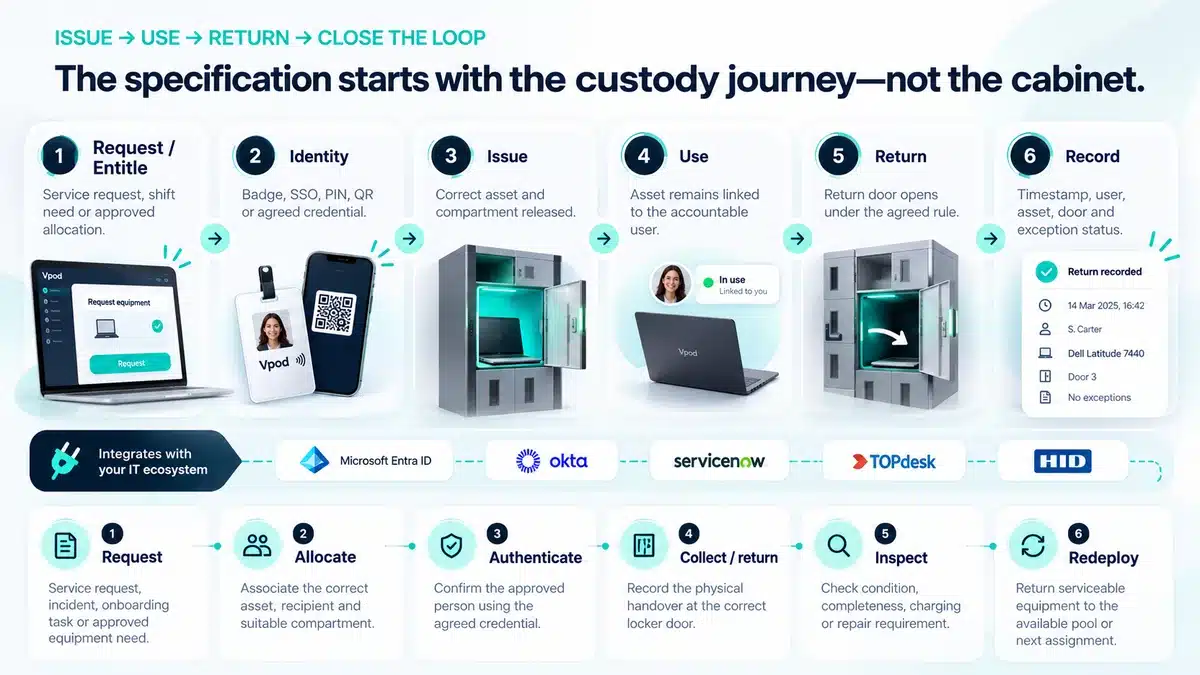
Map your IT asset workflow before choosing the interface.
Bring the request types, asset records, identity model, inspection rules and exception paths. Vpod can map the software, locker configuration and integration responsibilities.