GainShare
Capex-Free Lockers

VPOD / ESTATE TRANSFORMATION

A practical guide for existing locker estates

Replacing Legacy Lockers with Smart Lockers: A Migration Guide

Start with the operating problem, map what you already own, then decide what to retain, refurbish, retrofit or replace. A phased migration can modernise the workflow without assuming every locker in the estate needs an electronic lock.

For facilities & estatesWorkplace & operationsPhased, evidence-led planning
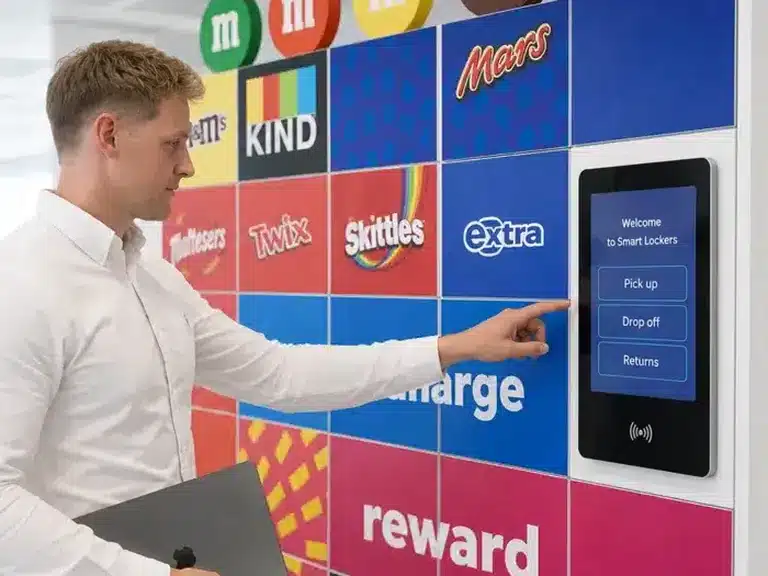
A person using the touchscreen on a Mars-branded Vpod smart locker wall
Mars uses Vpod smart lockers across a global workplace estate, with the programme evolving from personal storage into IT asset and hybrid-work support.

THE SHORT ANSWER

Replace the friction, not automatically every locker.

Replacing traditional lockers is an estate and operating-model decision, not a lock-only upgrade. Begin by identifying the recurring problem: lost keys, manual allocation, poor utilisation, limited audit history, maintenance or a workflow the current cabinets cannot support. Then assess the condition, compatibility and value of each part of the estate.

Some lockers may remain useful as they are. Others may need repair or refinishing; a compatible cabinet may be a retrofit candidate; and some areas may need a complete replacement. A phased plan lets teams test the new workflow, learn from a pilot and protect day-to-day access while the estate changes.

Migration principleChoose the simplest intervention that resolves the operating issue, and verify physical compatibility before promising that an existing cabinet can be retrofitted.

THE CHANGE IN PRACTICE

Move from local workarounds to a defined operating workflow.

The comparison below is a planning model. Smart-locker capabilities depend on the selected hardware, software, access method and integrations.

CURRENT STATE / OFTEN MANUAL

Keys, lists and local intervention

  • Assignments tracked by a person or spreadsheet
  • Lost keys trigger a reset, replacement or lock change
  • Occupancy is difficult to see without a physical check
  • Users contact local teams when access or handover fails
FUTURE STATE / CONFIGURED SMART SYSTEM

Digital access and managed allocation

  • Configured permissions and allocation rules
  • Self-service access for supported workflows
  • Central visibility of availability and activity
  • Recorded events and agreed exception handling

01 / REPLACEMENT TRIGGERS

When has the current estate stopped doing its job?

One inconvenience rarely justifies replacing every cabinet. Look for repeated operating costs, service failures or changed requirements that the current system cannot meet reliably.

01

Lost keys keep returning

Lock changes, duplicate keys, spare-key control and access investigations create repeat work for facilities or reception.

Facilities / service desk
02

Cash and coins complicate access

Coin mechanisms create collection, reconciliation, refund and fault-handling tasks, particularly in public or high-turnover settings.

Finance / venue operations
03

Assigned lockers sit unused

Fixed allocations can leave usable capacity idle when attendance, shifts or team membership change.

Workplace / estates
04

There is no usable activity history

When a handover, parcel or asset issue is disputed, teams may have no consistent record of who accessed which compartment and when.

Security / operations
05

Spreadsheets have become the system

Manual lists, labels and local trackers can drift out of date and are hard to maintain across locations.

Administrators / IT
06

Access does not work for everyone

Reach, compartment sizes, opening forces, labels, routes and user instructions may need reassessment against current accessibility needs.

Accessibility / facilities
07

Maintenance is becoming reactive

Repeated lock, door, hinge or finish repairs can make continued use less dependable and consume planned maintenance time.

Estates / maintenance
08

Cabinet sizes no longer fit the job

Small compartments may not fit today’s devices, uniforms, parcels, bags or specialist equipment. A changed workflow may require a new size mix.

Users / operations
09

Hybrid work changed demand

Attendance varies by day and location, while one-locker-per-person may no longer match how people use the office.

Workplace / people teams
10

No one can see the estate as a whole

Local ownership, separate site processes and limited occupancy data make consistent policy, support and capacity planning difficult.

Portfolio / regional estates
Make the case with evidence.Record the frequency and impact of each issue before selecting technology. A credible baseline helps distinguish a real estate problem from an isolated fault.

02 / RETAIN, REFURBISH, RETROFIT OR REPLACE

There are four routes through a locker migration.

Different cabinet banks may take different routes. Assess structure, door geometry, materials, lock hardware, wiring, accessibility and the proposed control system before treating retrofit as feasible.

KEEP IN SERVICE

Retain

Best when the cabinets remain safe, accessible, serviceable and suitable for the current operating model.

  • Resolve isolated faults
  • Keep the existing key or lock process
  • Set an inspection and review date

RESTORE THE CABINET

Refurbish

Best when the cabinet structure is sound but finishes, doors, hinges, labels or selected components need attention.

  • Repair the parts that limit service
  • Renew finishes where appropriate
  • Check that the refreshed cabinet meets current needs

UPGRADE COMPATIBLE HARDWARE

Retrofit

Best only when the cabinet construction is compatible with the proposed electronic lock and control design.

  • Verify door, frame and lock geometry
  • Confirm power and communication routes
  • Test a representative bank before scaling

CHANGE THE ESTATE

Replace

Best when layout, condition, compartment sizes, accessibility or workflow requirements cannot be met by the current cabinets.

  • Redesign the storage mix and location
  • Prepare the site and migration sequence
  • Remove or redeploy legacy equipment responsibly

Retrofit is a technical assessment, not a default. Conventional lockers differ in materials, dimensions, door construction and lock preparation. A site survey and compatibility check must confirm whether conversion is practical for the specific cabinets and selected system.

03 / AUDIT THE EXISTING ESTATE

Build one reliable picture before you design the replacement.

Estate data is often spread across facilities records, local spreadsheets, drawings and supplier invoices. Reconcile it at cabinet-bank level and verify the information on site. The audit should explain what exists, what is used, what is failing and what constraints the new design must respect.

Capture the current state before removing doors, changing locks or reallocating users. Photos, dimensions and location codes make it easier to compare like with like and to identify the areas that need a deeper survey.

Download the estate audit CSV
ESTATE AUDIT / MINIMUM DATASET01—10
01Sites & locationsBuilding, floor, room, zone and local contact
02Cabinet and door countsBank ID, total doors, door configuration and age
03Compartment dimensionsInternal clear width, height and depth by size type
04Material and conditionConstruction, finish, damage, corrosion and repair history
05Lock and key setupMechanical type, key control, coin operation and spares
06Use and occupancyAssigned users, observed usage, peaks and unused capacity
07Accessibility and user needsReach, circulation, signage and adjustment requirements
08Power and connectivityExisting services, routes, constraints and survey owner
09Ownership and administrationWho allocates, supports, repairs and approves changes
10Maintenance and lifecycleFaults, parts availability, warranties and planned works

04 / DEFINE THE FUTURE OPERATING MODEL

Design around what the lockers need to do next.

The cabinet count alone does not define the requirement. Agree who uses the lockers, what moves through them and which team owns the exceptions. A locker estate may support one workflow or several, if the chosen design and software configuration support them.

01

Assigned personal storage

Named people retain a regular compartment. Clarify how joining, leaving, absence, lost access and occasional reassignment are managed.

Workplace / HR
02

Flexible day lockers

Users choose from available capacity for a shift or visit. Model attendance patterns, peak days, turnover and release rules before sizing.

Workplace / facilities
03

Dynamic allocation

Rules assign storage based on a booking, user profile, time window or operational event where the selected platform supports it.

Workplace / IT
04

Asset issue and return

Staff collect or return devices, tools or equipment. Define custody, identity, item records, replenishment and exception ownership.

IT / asset owner
05

Parcel receipt and collection

Couriers deposit items, recipients are notified and collections are recorded. Map delivery, oversized items, failed notifications and uncollected parcels.

Mailroom / logistics
06

Visitor or guest storage

Visitors, guests or customers need clear instructions, accessible access and support that fits reception, venue or retail operating hours.

Guest services / operations
07

Mixed-use locker walls

One physical bank may serve more than one approved workflow, but the allocation rules, compartment sizes, permissions and service owners must be specified. Do not assume that every locker can change use instantly or that every configuration supports every journey.

Estate / platform owner
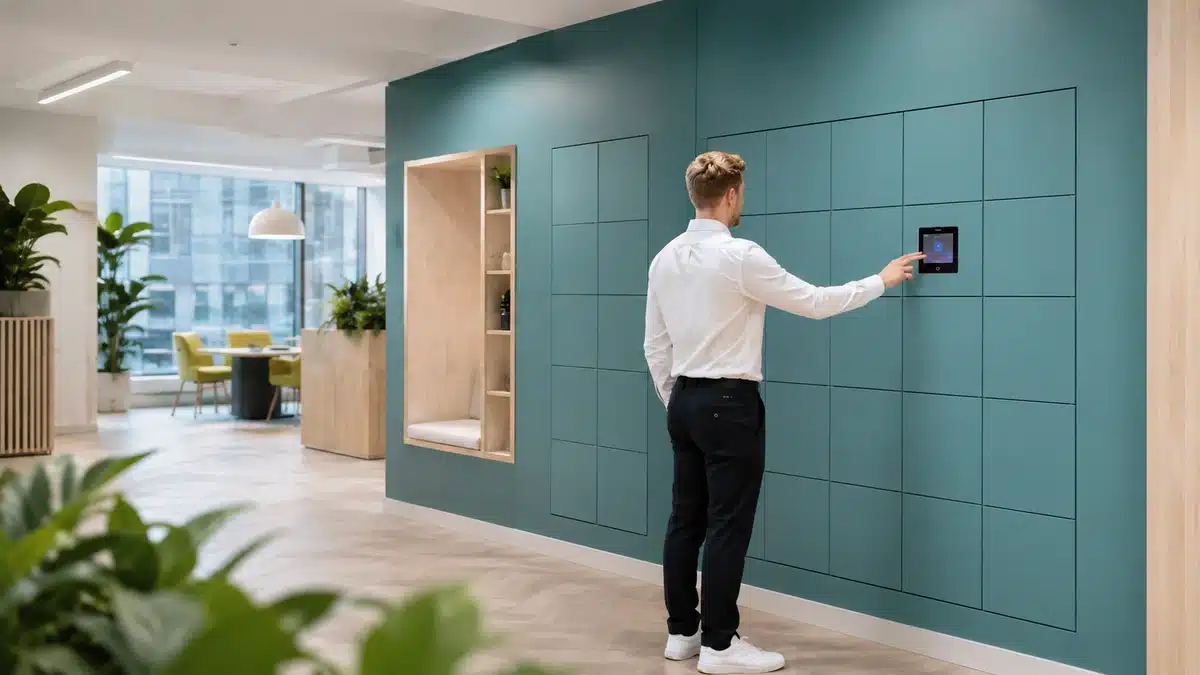
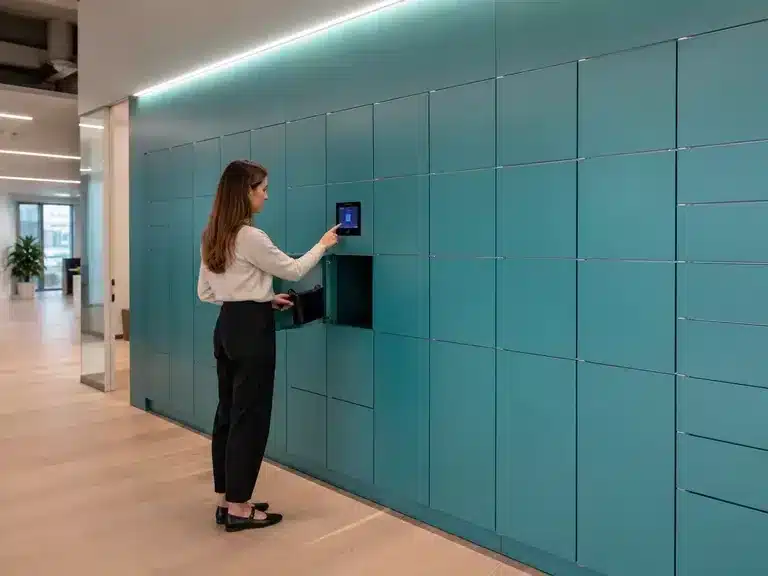
Employee using the touchscreen on a teal Vpod locker wall at Skyscanner
Observe the real user journey at the locker, including instructions, reach and support needs. Image: Vpod Skyscanner case study.

05 / BUILD THE MIGRATION BUSINESS CASE

Compare the cost of today’s operating model with the future one.

Do not compare the purchase price of a conventional cabinet with a complete connected system and call the difference the business case. Model the same service, users, estate scope and planning horizon on both sides. Use measured baselines where possible and show assumptions separately.

Current estate / recurring effortMigration / future-state cost
Keys, locks and coin mechanismsReplacement, duplicate control, cash handling, refunds and local fault visits
Electronic hardware and credentialsConfigured locks, terminals, readers, cards or other selected access methods
Manual allocation and occupancy checksStaff hours, spreadsheets, labels, investigations and unused assigned capacity
Software, configuration and supportPlatform costs, user administration, reporting, training and support ownership
Reactive maintenance and disruptionParts, emergency repairs, contractor attendance and lost service time
Site preparation and installationSurvey, electrical or data work, removal, delivery, installation and commissioning
Staff-managed handoversTime to issue, collect, reconcile, trace or resolve a storage transaction
Integration and migration activitySystem connections, identity setup, data cleansing, testing and transition support
Space and future replacementSpace occupied by poor-fit cabinets and costs to maintain or replace them later
Lifecycle, renewal and contingencyPlanned maintenance, licences, refresh assumptions and project contingency

Count the work people actually do

Sample key replacement, assignments, parcel handovers or asset transactions across representative weeks. Include peak periods and interruptions rather than relying on a single quiet-day estimate.

Show costs that move between teams

A change may reduce reception work while adding IT administration or support. Record which budget pays and which team receives the benefit so the business case is credible.

Use scenarios, not a guaranteed payback

Model low, expected and high adoption, plus maintenance and integration cases. Separate measured evidence from forecast assumptions and review performance after launch.

06 / PLAN THE TRANSITION

Ten steps from estate audit to a signed-off new service.

Assign a decision owner and evidence for each step. The sequence can overlap by site, but dependencies such as configuration, power, data and user communication should be closed before equipment is removed.

  1. 01

    Audit the estate

    Build the site register, cabinet inventory, condition log, usage baseline and ownership map. Flag unknowns for physical survey.

    Evidence
  2. 02

    Set requirements

    Agree user groups, workflows, access, accessibility, capacity, service hours, reporting, support and success measures.

    Operating model
  3. 03

    Select a pilot location

    Choose a representative site or cabinet bank with real users, manageable dependencies and a clear way to compare results.

    Test at scale-fit
  4. 04

    Design the future state

    Confirm which banks are retained, refurbished, retrofitted or replaced. Approve layout, door mix, hardware, software and integration scope.

    Design freeze
  5. 05

    Prepare each site

    Complete dimensions, access routes, power and data checks, building approvals, delivery planning, out-of-hours needs and safe-work coordination.

    Site readiness
  6. 06

    Clean and migrate data

    Reconcile users, locker assignments, access roles, identifiers and integrations. Define the cut-off and recovery approach before importing or creating records.

    Data control
  7. 07

    Install in phases

    Sequence by floor, zone, building or workflow. Keep a live view of unavailable capacity, dependencies, handover dates and site contacts.

    Controlled rollout
  8. 08

    Communicate and train

    Explain what changes, when, how to access a locker and where to get help. Give managers and support teams role-specific instructions.

    People readiness
  9. 09

    Test and accept

    Test representative user journeys, access roles, integrations, faults, accessibility, reporting, recovery and operational ownership against agreed acceptance criteria.

    Acceptance
  10. 10

    Remove or redeploy legacy equipment

    Clear contents under the agreed process, remove obsolete locks or cabinets safely, update asset records and confirm reuse, recycling or disposal routes.

    Close-out

07 / AVOIDING DISRUPTION

Protect access while the old service is changing.

The transition plan must cover the people and items already using the lockers, not only the installation crew. Set a named owner for each exception and publish dates early enough for users to act.

Keep capacity available

Use phased floor, zone or building changeovers. Identify temporary storage for affected teams and reserve a safe buffer during the pilot and the first operational weeks.

Manage existing contents

Set a clear empty-by date, reminders, witnessed clearance and an unclaimed-item process. Record custody for valuables or work equipment and explain where items will be held.

Plan credentials and assignments

Tell users whether keys, PINs, badges or app access will change. Confirm when existing credentials stop working, how new access is issued and what to do if someone is absent.

Choose the right work window

Coordinate deliveries, noisy work, building access, fire routes and contractor supervision. Consider out-of-hours installation where that reduces impact and is safe for the site.

Set a parallel-running rule

If old and new systems operate together, define which lockers belong to each service, how users identify them, who supports them and when the old route closes.

Staff the launch period

Provide a help route for first access, failed allocations, forgotten credentials and damaged doors. Monitor issues daily at launch, then step down support when agreed service levels are stable.

Before each phase goes liveConfirm access, contents, communications, temporary capacity, site readiness, support contacts and the rollback or recovery decision.
Use the installation guide ↗

08 / MEASURE AFTER THE CHANGE

Agree the baseline before the first locker is switched over.

Choose a small set of measures tied to the original problem. Define the data source, period, owner and target before go-live. Review by site and workflow so a portfolio average does not hide a local capacity or support issue.

01

Adoption

Active users, completed journeys and repeat use against the eligible population.

02

Utilisation

Occupied capacity, release patterns, peak demand and shortage periods.

03

Administration

Time spent on assignments, key issues, resets, handovers and routine checks.

04

Access incidents

Lost access, failed allocations, forced openings and recovery time.

05

Support demand

Ticket volume, issue type, response time and repeat contacts after launch.

06

Capacity fit

Unmet requests, oversized or undersized compartments and usage by size mix.

07

Service reliability

Available service, recurring faults, maintenance visits and time out of operation.

08

User experience

Task completion, accessibility feedback, satisfaction and reported friction.

Do not define success only as “old lockers removed”.A migration succeeds when the selected operating problem improves, users can complete the new journey and the organisation can sustain the service it has configured.

VPOD DEPLOYMENT EVIDENCE

Published migrations show what changes when a workflow is redesigned.

These results belong to specific Vpod deployments. They are useful references for discovery; they are not forecasts or guarantees for another estate.

A person using the touchscreen on a Mars-branded Vpod smart locker wall
GLOBAL WORKPLACE / PHASED ESTATE EVOLUTION

Mars

Mars expanded its locker programme from employee storage into IT asset distribution, returns and hybrid-work support. Vpod’s case study documents a rollout across nine countries, 15 sites and 27 locker walls, showing how an existing locker service can grow into a broader operating platform.

9 countries15 sites27 locker walls874 doors
Explore the Mars case study ↗
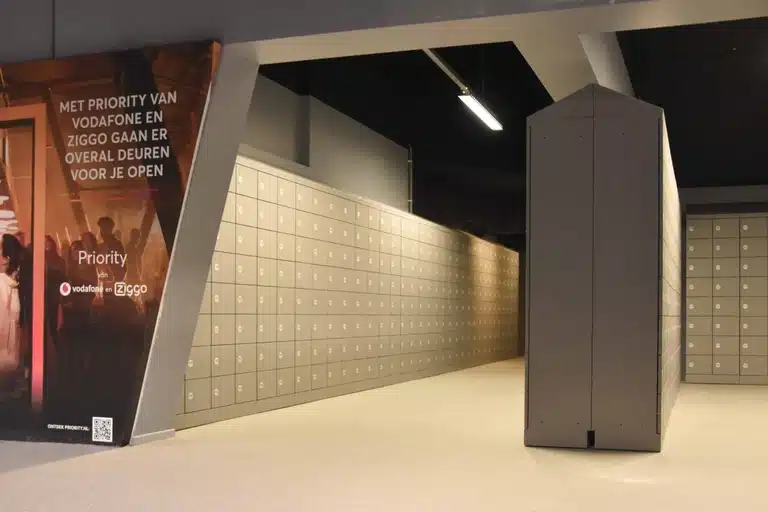
Rows of lockers at Amsterdam’s Ziggo Dome event venue
VENUE / COIN-OPERATED REPLACEMENT

Ziggo Dome

The venue replaced coin-operated lockers and manual processes with 4,608 digital self-service lockers installed within one week. Vpod’s published case reports a 75% reduction in post-concert exit times, from 60 to 15 minutes, alongside the removal of physical key and coin issues.

Explore the Ziggo Dome case ↗
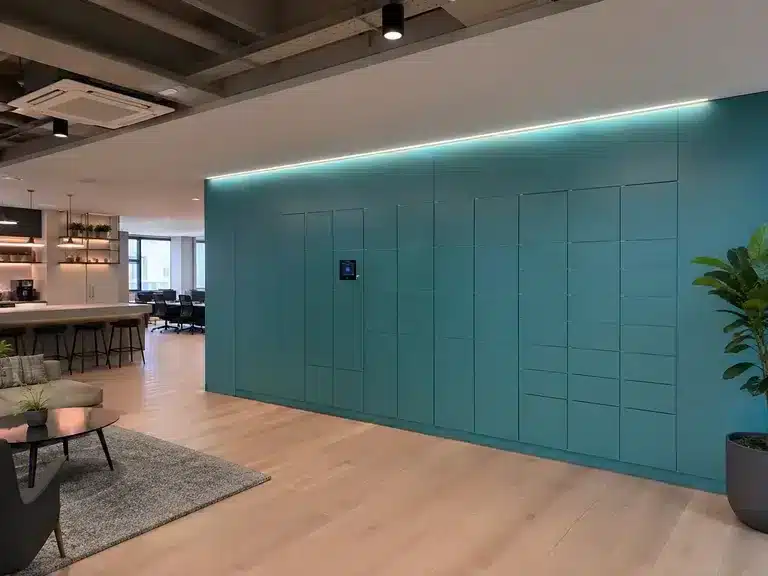
Teal Vpod workplace locker wall integrated into a Skyscanner office
WORKPLACE / FLEXIBLE ALLOCATION

Skyscanner

Vpod describes a centrally managed flexible locker service across London, Edinburgh and Glasgow. Its case study reports 90% less locker administration and 70% better utilisation, supporting a workplace where attendance and storage demand change.

Explore the Skyscanner case ↗
Premier Inn self-service luggage lockers with a guest-access touchscreen
HOTEL / MANUAL HANDLING REPLACEMENT

Premier Inn Cologne

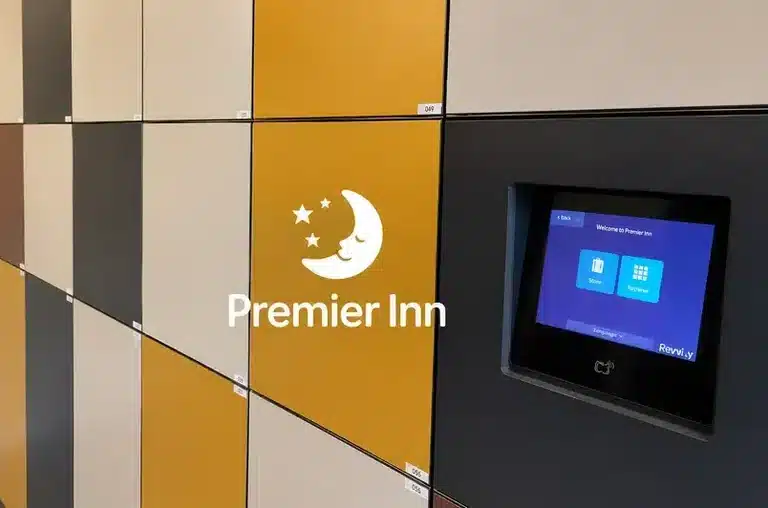
Fifty-four self-service smart luggage lockers replaced manual luggage handling and helped reduce reception congestion. Vpod’s case-study hub reports a 6× first-year ROI for this specific deployment.

Browse Vpod case studies ↗
Published outcomes graphic from Vpod’s national footwear retailer click-and-collect locker case study
RETAIL / CLICK & COLLECT

National footwear retailer

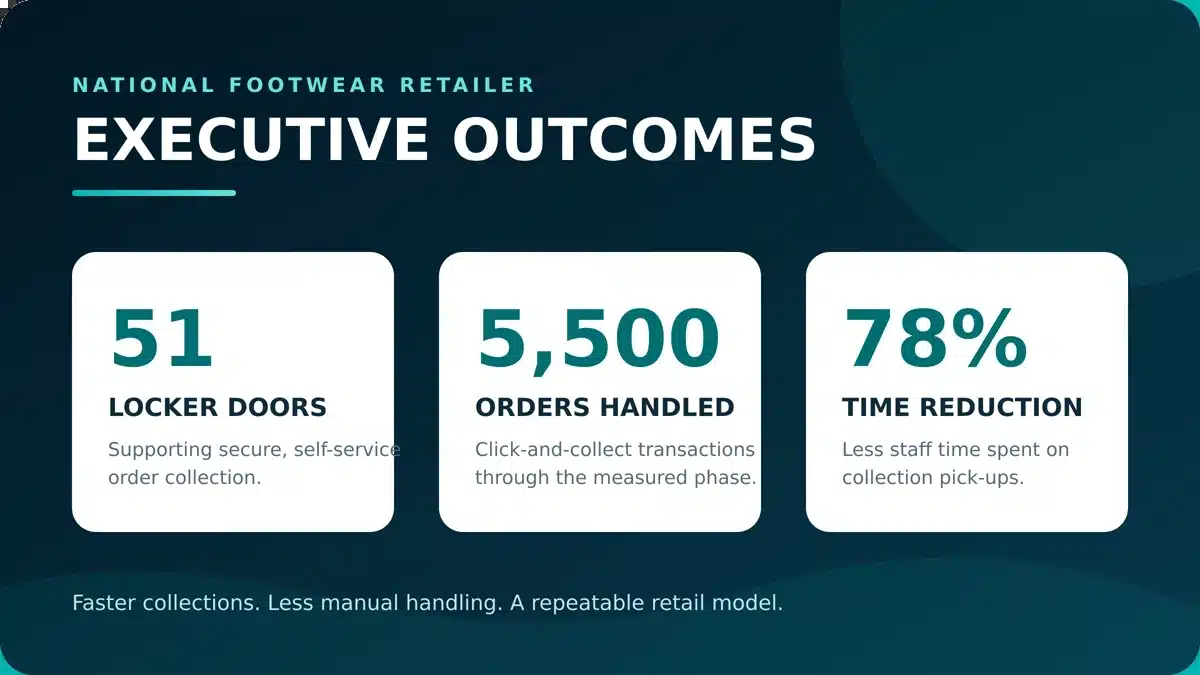
The wider programme covered 438 doors across nine UK locations. In the measured 51-door phase, the case study reports 5,500 annual orders and a 78% reduction in staff time spent handling collections. It is a useful example of aligning locker change with a defined customer handover workflow.

Read the footwear retailer case study ↗

WATCH THE USER JOURNEY

Show teams what the new service can feel like.

Use the videos to ground stakeholder conversations in real access and user flows. Open them on the official Vpod Smart Solutions channel.

READY TO PLAN THE CHANGE?

Request a locker-estate assessment.

Bring your site list, locker inventory, known pain points and future workflows. Vpod can help map the replacement options, survey needs and phasing questions for your estate.